
Copy to Figma
Take Experience frames into Figma as editable designs.
Copy a frame from your Experience canvas and paste it into Figma as editable layers. You don’t need to connect a Figma account to export. Workspace images are included with the design.
Copy a frame
Select the frame
Open your Experience and select a screen or component frame on the canvas.
Copy to Figma
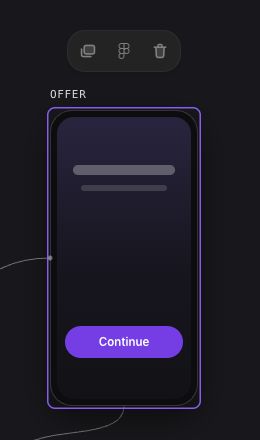
Choose the Figma icon in the selected-frame toolbar. Hover over it to see Copy to Figma. Wait for the Copied. Paste in Figma. confirmation.
Paste in Figma
Open the destination Figma file and press ⌘V on macOS or Ctrl+V on Windows. You can then edit the layers in Figma.
What gets copied
Supported content includes basic views, text, buttons, and workspace images, along with solid colors, uniform rounded corners, opacity, padding, and spacing. Row and column layouts become Figma auto layout.
Actions, navigation, data bindings, and purchase logic stay in Nuxie. Text supplied by a binding appears as {Dynamic text}. Replace it with example copy in Figma when reviewing the design.
Troubleshooting
A layer can’t be copied
The error identifies the layer or style that needs attention. Remove unsupported styling, or replace an unsupported component with basic text, images, and views, then copy again.
A size can’t be converted
Use the layer named in the error to make the relevant change:
- In a row, replace a percentage width with a fixed width, such as 200 pixels.
- In a column, replace a percentage height with a fixed height.
- For text with an automatic width, use an automatic height too, or set a fixed width.
- For images, set a width and height and use cover or contain sizing.
Images are too large
Each image can be up to 4 MB, with up to 8 MB of image data per copy. Replace large images with smaller files or copy fewer frames at a time.
The browser can’t copy the frame
Try Chrome, Brave, or Safari. If the browser asks for clipboard access, allow it and choose Copy to Figma again.
Copying again
Each paste creates a separate design. Changes in Figma don’t update your Experience, and copying again doesn’t replace the earlier Figma copy.
To bring an edited design into Nuxie, copy it from Figma. It arrives as new frames. Add any Experience interactions in Nuxie before using them in your app.