Retention Mobile App: 2026 Growth Framework
Master retention mobile app strategies for 2026. This framework helps growth teams boost user engagement and loyalty. Maximize your app's long-term success now!
Most mobile teams still talk about retention as a reporting outcome. That framing is wrong. On average, mobile apps lose about 75% of their users within the first 30 days, with global Day 1 retention at 28.29% and Day 30 retention at 7.88%, according to GetStream's 2026 app retention guide.
That changes how you should build a retention mobile app strategy. The job isn't to admire a Day 30 chart after the damage is done. The job is to wire retention into product design, event instrumentation, messaging, paywalls, entitlement logic, and release operations across iOS, Android, React Native, Flutter, Unity, and Unreal.
Teams that do this well treat retention as a systems problem. They measure by cohort, diagnose churn in the first session, ship personalized in-app experiences without waiting on store approval, and run a continuous loop between analytics and execution. That's the operating model that holds up across consumer apps, subscriptions, utilities, media, and games.
The Unspoken Reality of Mobile App Retention
Acquisition gets the meeting. Retention decides whether the product has a business.
The speed at which users make that decision is often overlooked. The first session isn't a tour. It's a judgment. If the app doesn't deliver a clear next step, visible value, and a reason to return, users leave before your roadmap matters.
That is why retention mobile app work has to start earlier than anticipated. Not at lifecycle CRM. Not at win-back. Not at monthly reporting. It starts at install, first open, the first permissions request, the first meaningful action, and the first return trigger.
Practical rule: If retention is weak, assume the problem begins in the first session until your data proves otherwise.
Technical teams often separate this into silos. Product owns onboarding. Engineering owns instrumentation. Growth owns campaigns. Monetization owns paywalls. Data owns reporting. In practice, users experience one product, not five departments. Retention rises when those layers work together.
A useful way to think about it is this:
- Product defines value through the core action a user should complete quickly.
- Engineering exposes state so the app knows who the user is, what they've done, and what should happen next.
- Growth orchestrates journeys with prompts, reminders, offers, and timing.
- Data validates causality with clean cohorts and experiment discipline.
- Monetization supports retention by placing purchase moments after value, not before it.
Many retention programs fail because they optimize the wrong thing. They celebrate completed onboarding flows that never produced value. They count notification opt-ins without improving return behavior. They launch generic campaigns long after early churn already happened.
The better approach is operational. Build for activation, instrument the journey, trigger context-specific experiences, and keep tuning the first week.
Establish Your Retention Baseline with Cohorts
If your retention reporting starts with totals, you're already losing signal.
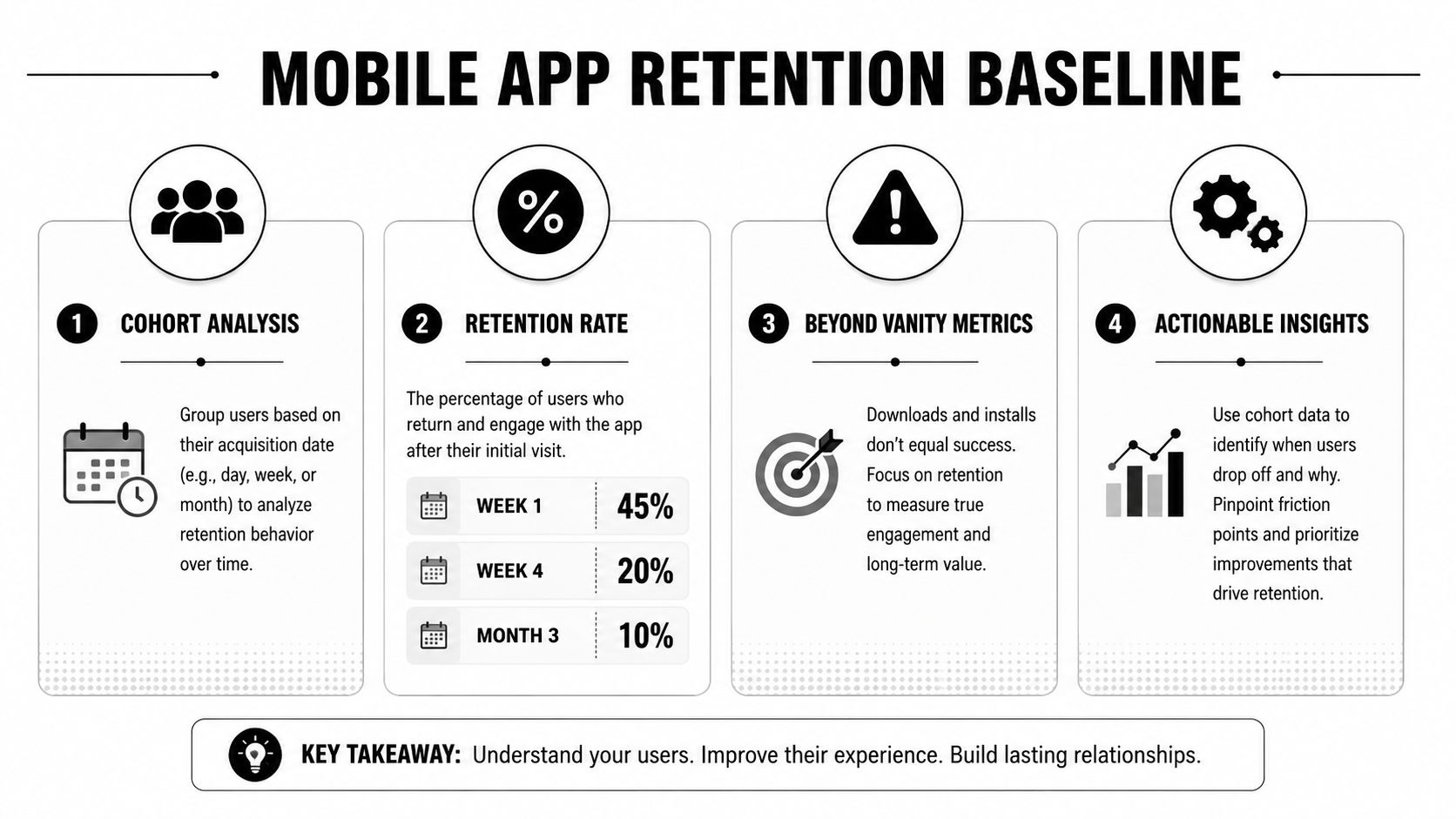
Downloads, MAU, and blended active-user charts tell you almost nothing about whether recent product changes helped or hurt. For a retention mobile app program, cohort analysis is the baseline discipline. Group users by install date, acquisition source, platform, country, app version, and first-session behavior. Then compare how each cohort returns over time.
What to measure first
You don't need a huge warehouse to get this right. You need consistent definitions.
Track these retention views:
| Metric | What it tells you | Common mistake |
|---|---|---|
| Day N retention | Whether users come back on a specific day after install | Mixing calendar dates with user-age dates |
| Weekly retention | Whether value survives beyond first curiosity | Blending new and mature users |
| Bracket retention | Whether users return within a time window | Using it as a substitute for exact Day N trends |
| Rolling retention | Whether a user returned at least once after a point | Mistaking it for stickiness |
Typically, Day 1, Day 3, Day 7, and Day 30 are enough to expose where the product breaks. Weekly cuts help with products that aren't naturally daily-use. Bracket views help for travel, finance, utilities, and some game loops where exact daily return is too strict.
Benchmarks only help when matched to context
Average benchmarks are useful as a sanity check, not as a goal in isolation. Business of Apps reports average Day 30 retention of 3.7% on iOS and 2.1% on Android. By category, news apps retain best at around 10% on Day 30, while social media apps are below 2% in the cited benchmark set from Business of Apps retention data.
That should change how you set targets. A media app, a casual game, a finance utility, and a shopping app should not all use the same success line. Platform also matters. iOS users and Android users often respond differently to onboarding friction, permission timing, and billing UX.
A practical cohort baseline usually segments by:
- Platform split so iOS and Android don't hide each other
- Acquisition source because paid, organic, creator, and referral users behave differently
- App version to catch regressions introduced by releases
- Activation status so you can separate users who reached value from those who bounced
- Behavioral segment based on what users tried to do in the first session. Behavioral segmentation for mobile apps is where this becomes more than analytics hygiene
Cohorts answer the only retention question that matters. Which users stayed, which users left, and what was different about their first experience?
Build one source of truth for cohort membership
Frequently, technology stacks become messy. The analytics tool knows who opened the app. The billing tool knows who subscribed. The CRM tool knows who got a push. The game backend knows who hit a progression wall. If these systems define identity differently, your retention analysis turns into folklore.
For implementation, standardize:
- A stable user identifier across anonymous and logged-in states.
- Install and first-open timestamps captured once and stored consistently.
- Session one events with ordered event times.
- Entitlement state if subscriptions or purchases affect the journey.
- Experience exposure events for onboarding, prompts, offers, and paywalls.
Without that, you can't answer simple questions like whether a new onboarding flow improved Day 3 retention for Android users who skipped account creation and saw a soft paywall.
Diagnose Churn by Mapping the User Journey
A retention chart tells you where users disappear. It doesn't tell you why.
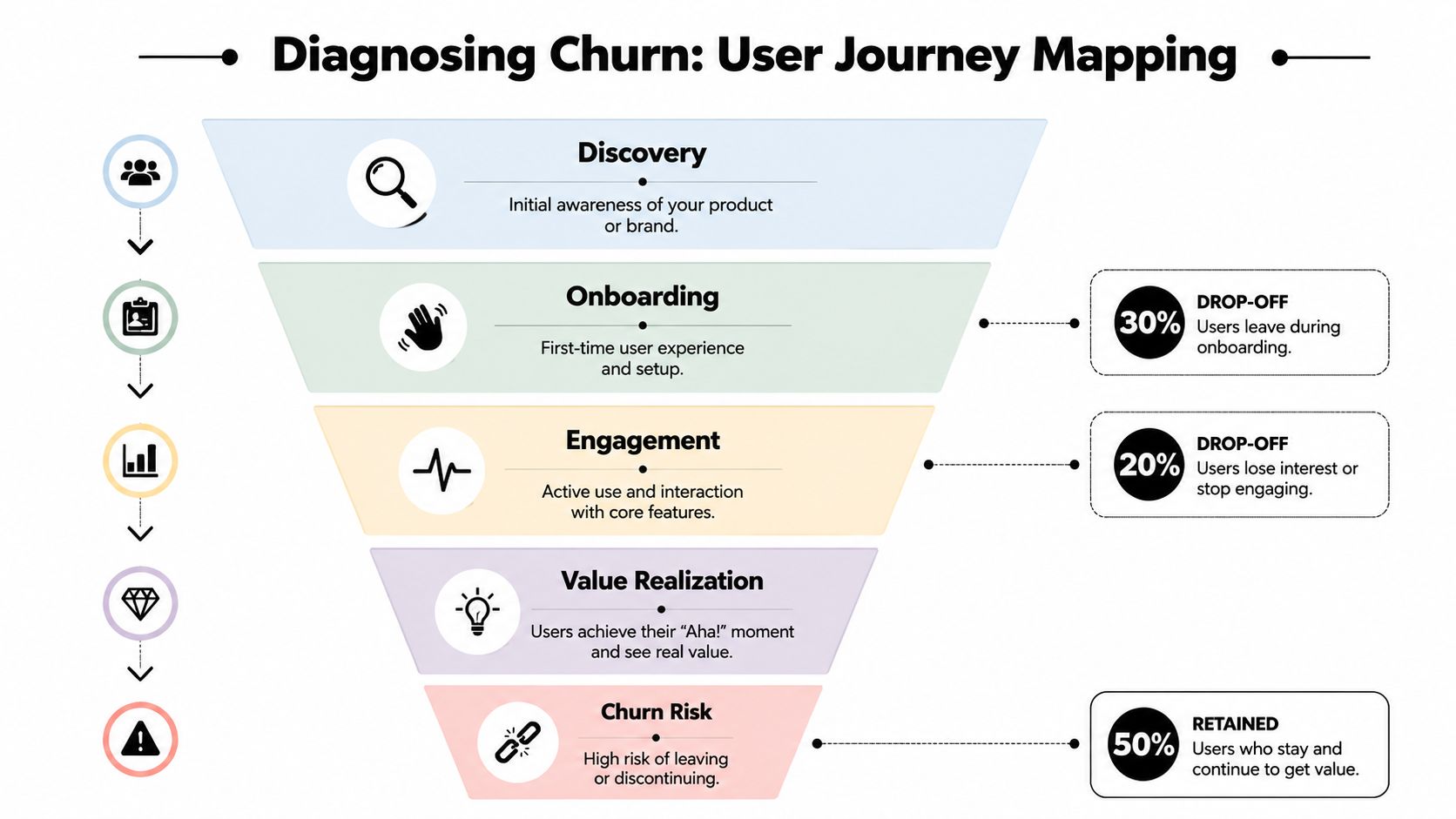
To find the cause, map the path from install to first value. For most apps, churn isn't one big failure. It's a sequence of small avoidable misses: a vague welcome screen, a premature permission prompt, a signup wall before value, an empty home screen, a paywall shown without context, or no reason to return tomorrow.
Find the real activation event
The most impactful work in retention is still activation. Users who complete a meaningful action in their first session retain at 2 to 3 times the rate of those who don't, based on UXCam's mobile retention benchmarks.
The important word is meaningful.
Opening the app isn't activation. Finishing a slideshow isn't activation. Dismissing a tooltip isn't activation. The event has to represent experienced value. Examples:
- A messaging app user sends the first message
- A finance app user links an account or tracks the first transaction
- A habit app user logs the first check-in and sees progress
- A game player completes the first real loop and claims a reward
- A subscription app user customizes content and reaches a personalized feed
Map where users stall
A journey map should be operational, not decorative. Build a funnel around the first session and include the screens, prompts, and states that can block progress.
A useful first-session funnel often looks like this:
- Install to first open
- First open to welcome completion
- Welcome to account start
- Account start to account complete
- Account complete to core setup
- Core setup to activation event
- Activation event to return trigger exposure
Then break down where the user stopped and what condition they were in. Did they hit a loading state? Decline notifications? See an empty feed? Reach a locked feature? Close during email verification?
If you can't point to the exact event where first-session drop-off spikes, your FTUE isn't instrumented well enough.
Instrumentation by stack
The trade-offs differ by stack, but the principle is the same. Journey analytics has to be native-feeling and low-friction.
Native iOS and Android
Native gives you the cleanest hooks into lifecycle, permissions, gestures, and performance state. That's still the gold standard for teams that care about platform fidelity. As noted by Mobisoft's comparison of native and cross-platform approaches, Swift on iOS and Kotlin on Android deliver the highest platform fidelity because they use native animations, gestures, and system behaviors directly.
In practice, that matters for retention because onboarding friction often comes from interaction mismatch, not just copy.
React Native and Flutter
React Native can move fast if your event contracts are disciplined and native module boundaries are clear. Flutter offers strong UI consistency, but teams need to be careful not to over-design first-session flows in a way that feels detached from iOS and Android norms.
If your onboarding layer is cross-platform, keep analytics events platform-neutral but expose native context for billing, permissions, crashes, and performance timing.
Unity and Unreal
For game teams, retention diagnosis has to include progression gates, economy state, session result, and liveops exposure. Unity is often fine for games, but not for trying to imitate a conventional native app shell. A discussion in the Unity community makes the trade-off plainly: Unity isn't designed to behave like a native mobile app UI stack, and it's better reserved for special cases rather than general app UX.
Unreal teams face a similar operational challenge. The game loop may be immersive, but retention still depends on event clarity and the ability to trigger offers, tutorials, and return incentives at the right state transitions.
Build High-Impact Onboarding and Personalization
Static onboarding is mostly dead.
A single hard-coded flow for every user ignores acquisition intent, platform context, skill level, geography, entitlement state, and what the user already did in session one. That's why many teams end up with decent-looking onboarding that doesn't improve retention mobile app outcomes. It explains the product, but it doesn't adapt.
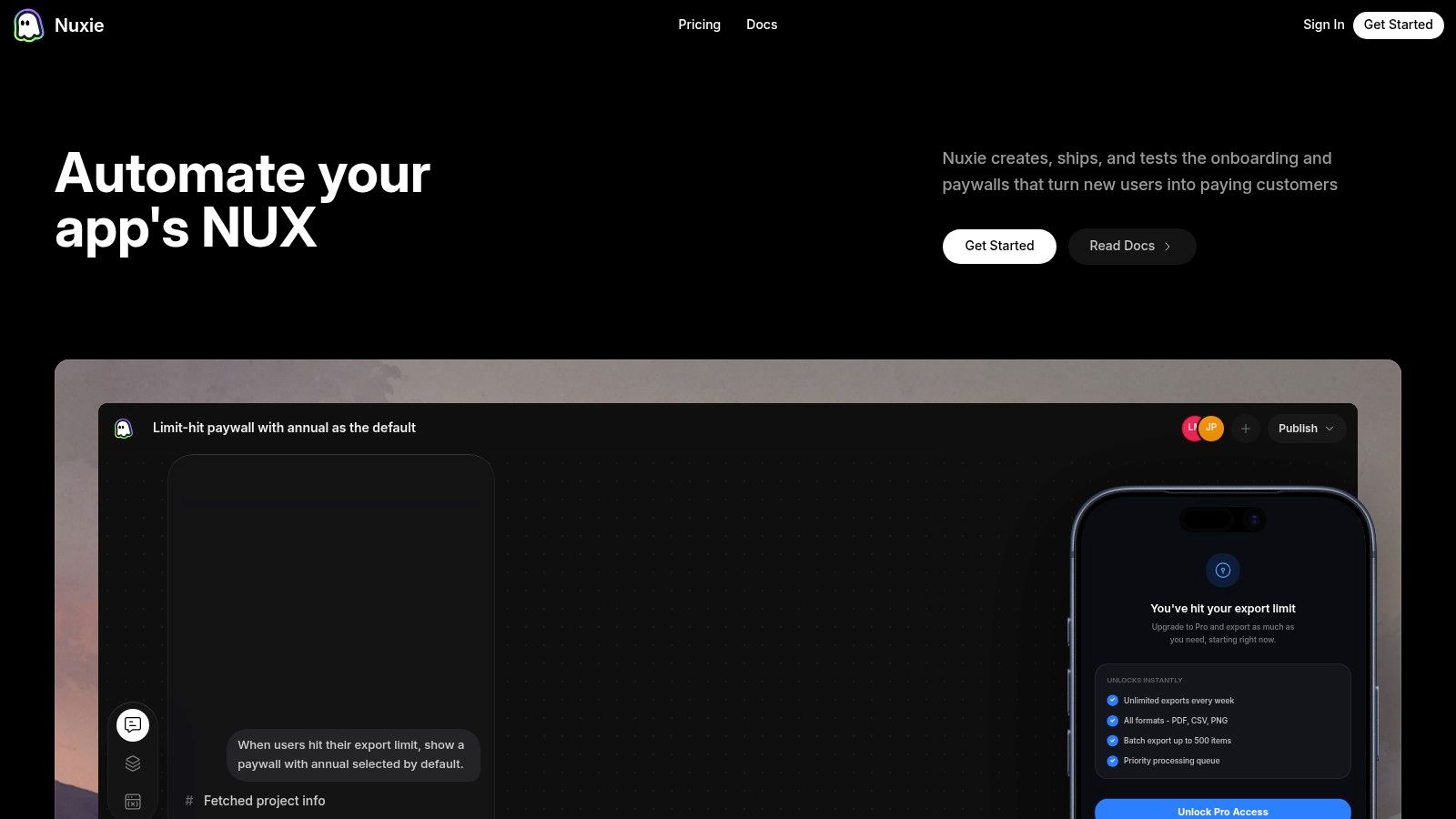
A better model is dynamic onboarding. The app evaluates user state locally, decides what experience to show, and changes the path without waiting for a new store release.
Personalize around intent, not demographics
The strongest onboarding systems respond to what the user is trying to accomplish.
If a user installs from a creator campaign promising a specific feature, land them in that feature path. If a user is likely to subscribe, don't force them through the same sequence as a casual browser. If a player loses early, show a recovery tutorial. If a reader prefers one topic, seed the app with that topic immediately.
Good personalization in onboarding usually includes:
- Goal selection through a short quiz or choice screen
- Contextual feature education triggered when the user reaches the relevant surface
- Progressive disclosure so advanced options appear later
- Timed paywall placement after value is visible, not before
- Return hooks such as saved progress, streak framing, scheduled content, or available next steps
For teams refining flow design, these mobile app onboarding best practices are worth applying with platform-specific discipline rather than copying web onboarding patterns into mobile.
Cross-stack implementation guidance
The implementation details differ, but the design principles stay stable.
SwiftUI and UIKit on iOS
Use native transitions, keyboard behavior, haptics, and sheet presentation patterns. Keep permission prompts contextual. If a screen needs network data before value is shown, render a meaningful state instead of an empty spinner.
Jetpack Compose and Android Views
Compose is great for conditional onboarding and modular prompts, but watch state synchronization carefully. If your flow depends on billing status, notification permission, or local cache, the UI needs deterministic fallbacks when asynchronous state arrives late.
React Native
React Native works well when the retention layer is mostly content, prompts, and lightweight flow control. It gets harder when onboarding depends on deep native hooks, custom gestures, or complex entitlement timing. Put the state machine in a shared domain layer, not in scattered component logic.
Flutter
Flutter is strong when you want a consistent design system across iOS and Android. The risk is overusing that consistency at the expense of native expectation. For onboarding, preserve platform-specific copy, spacing, permission timing, and billing UX where needed.
A useful reference on code-sharing direction is this Kotlin Multiplatform talk discussing shared business logic, which describes sharing business logic while building UI natively with SwiftUI and Jetpack Compose. That pattern often improves retention work because experimentation logic and targeting rules can be shared without sacrificing native feel.
Here's a product walkthrough worth studying for how remote in-app experiences can fit into a mobile workflow:
Unity and Unreal for games
In games, onboarding isn't a separate intro. It's the first playable economy and progression experience. Personalization often means adjusting tutorial depth, surfacing the right offer timing, changing the next mission prompt, or showing liveops moments based on skill or spend state.
What usually doesn't work
A few patterns keep underperforming:
- Front-loading every permission before users understand why
- Forcing account creation before users reach any value
- Showing paywalls too early in products that need demonstration first
- Using the same onboarding for every acquisition source
- Shipping onboarding only through app releases, which slows iteration to a crawl
The best onboarding feels less like a tutorial and more like the product already understands what the user came to do.
Run Experiments and Targeted Retention Campaigns
Teams often wait too long to intervene. That's the expensive mistake.
Andrew Chen highlighted that 77% of users are lost within the first 3 days, which is why Day 1, Day 3, and Day 7 checkpoints are more actionable than obsessing over a user who has already been gone for a month in his analysis of early mobile user loss.
A practical early-retention campaign rhythm
A strong operating rhythm doesn't look like one giant lifecycle flow. It looks like a set of targeted interventions tied to user state.
Example sequence:
Day 0 incomplete activation
User opened the app, skipped setup, and left before core action.
Trigger an in-app resume card on next open. If push is available, send a reminder tied to the exact unfinished task.Day 1 activated but no return habit
User completed the first value event but didn't establish a loop.
Trigger fresh content, next milestone framing, or a contextual tip that enables the second use case.Day 3 friction cohort
User repeatedly visits one feature but never succeeds.
Trigger a tutorial overlay, support shortcut, or alternate path with fewer steps.Day 7 monetization-ready cohort
User has repeated value signals and strong intent.
Show a personalized paywall, trial prompt, or bundle offer connected to what they already use.
This is where win-back strategy matters, but only when the timing is tight. Teams looking at win-back campaigns for mobile apps should think less about dramatic resurrection and more about intercepting soft churn while the user still remembers why they installed.
Experiment on behavior, not just assets
Many teams say they're running experiments when they're really swapping button colors.
The more useful experiments test behavioral hypotheses:
| Hypothesis | Variant A | Variant B | What you learn |
|---|---|---|---|
| Users need clarity before signup | Signup first | Value preview first | Whether reducing commitment improves activation |
| Users need motivation before subscription | Paywall on first open | Paywall after value event | Whether demonstrated value improves conversion without hurting retention |
| Users abandon due to overload | Full setup upfront | Progressive setup | Whether shorter time-to-value keeps more users alive |
| Players churn after failure | Generic retry | Guided recovery offer | Whether reducing early frustration improves return behavior |
Build a habit loop intentionally
For many products, especially content, utilities, and games, users need a reason to return within a day. That reason shouldn't feel artificial.
Good return mechanics include:
- Scheduled content drops for media and creator apps
- Streaks or progress chains when they reinforce real value
- Inventory or reward refreshes in games
- Saved work continuation for productivity and utility apps
- Personalized next-best action based on unfinished behavior
What doesn't work is generic “come back” messaging with no state awareness. If the message doesn't connect to what the user was doing, it reads like spam.
Instrument and Operationalize Your Growth Stack
Most retention problems become stack problems sooner than teams expect.
You can't improve what you can't coordinate. Analytics lives in one tool. Billing lives in another. Entitlements are computed elsewhere. In-app messaging is owned by a separate vendor. The experimentation system doesn't know subscription status. The game backend doesn't know which onboarding variant the user saw. Then the team wonders why nobody trusts the data.
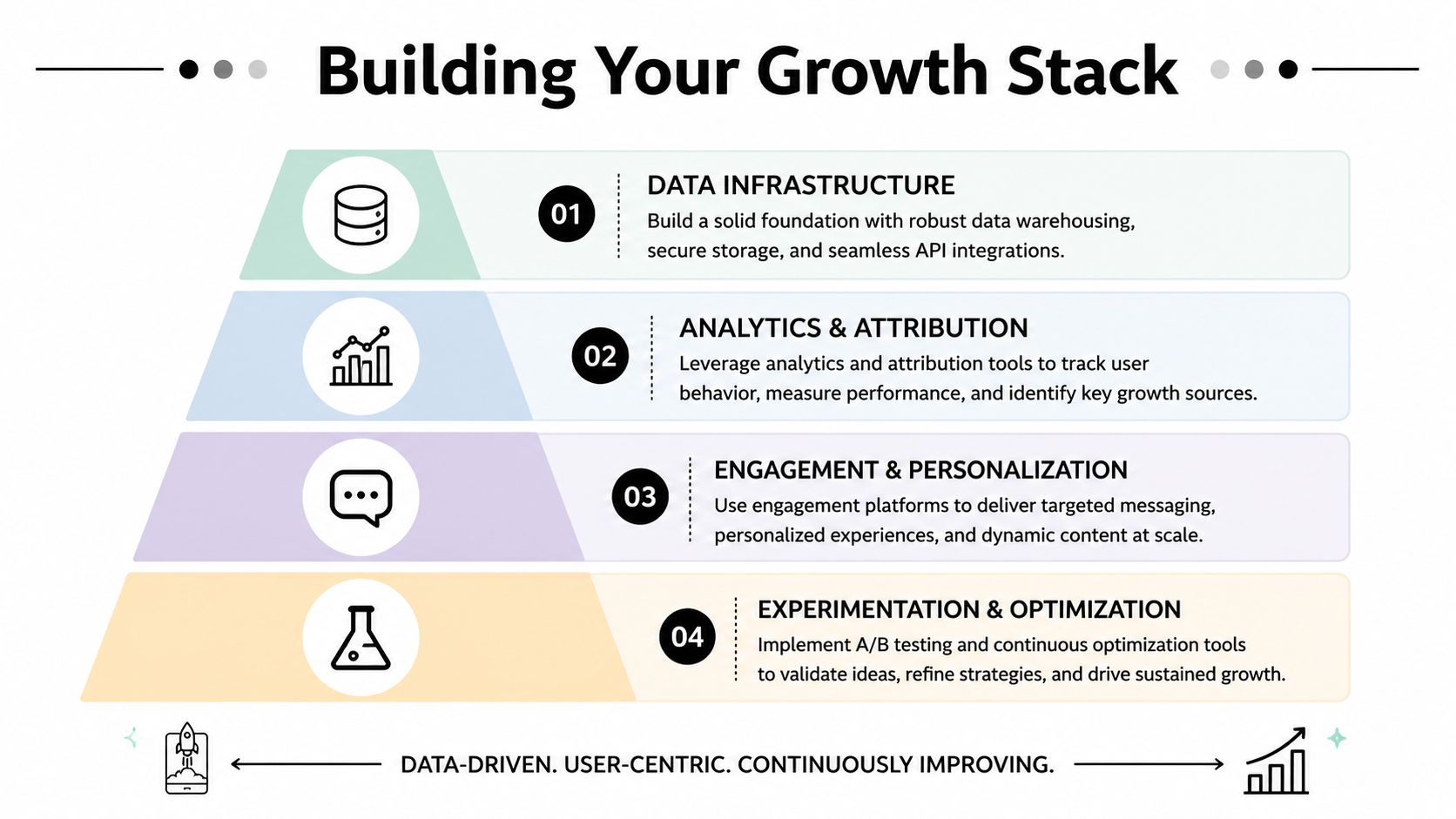
What a modern stack actually needs
The best growth stacks aren't the most bloated. They're the most connected.
A practical architecture usually includes these layers:
Data and identity
One event schema. One user identity strategy. One clear path for anonymous-to-known merging. If that foundation is unstable, every retention report becomes a debate.
Analytics and cohorting
Use Amplitude, Mixpanel, your warehouse, or another analytics system if it already works. The important point is that your cohort definitions are reusable by product, growth, and monetization teams.
Experience delivery
This is the runtime that changes the app experience. Onboarding flows, surveys, feature announcements, tutorials, personalized screens, retention offers, liveops moments, and paywalls should be triggerable without app releases when possible.
Billing and entitlements
Subscription products need purchase data, entitlement state, grace periods, intro offer handling, and restoration state available to both the app and the growth system. If this sits in a black box, personalized monetization gets brittle fast.
Fair comparison of tooling choices
There isn't one right stack.
Some teams want a best-of-breed setup with Amplitude for analytics, RevenueCat for subscriptions, native StoreKit and Google Play Billing hooks where needed, and a separate in-app experience layer. Others want fewer vendors and tighter operational control. Game teams may also need backend state from Unity or Unreal services alongside app analytics.
The important design choice is provider-agnosticism. Your growth layer should work with the tools you already have. It shouldn't force a rip-and-replace just to run onboarding experiments or sync entitlement-aware campaigns.
That matters financially too. Billing data is foundational. Teams should be careful about products that treat billing visibility as a toll gate. A no-revenue-share model on billing and entitlement data keeps economics cleaner, especially once subscriptions scale.
Architecture test: If changing your paywall provider, analytics vendor, or billing source breaks your retention workflows, the stack is too tightly coupled.
Privacy and trust are part of retention
Retention isn't only about UX polish. Sometimes users leave because they don't trust the data exchange.
Arity notes that rising distrust around data sharing is a primary driver of app deletions, and that meaningful value exchanges matter. The cited figures are 51% for users willing to share data for discounts and 33% for better content in Arity's discussion of declining mobile app retention.
That has a direct implementation consequence. Don't ask for data and permissions as a default habit. Ask in context and explain the benefit in product terms:
- Notifications when there's a clear reason to notify
- Location when the feature obviously depends on it
- Preferences and profile data when it materially improves content, offers, or progression
- Purchase and entitlement sync when it enables continuity across sessions and devices
The trust-building pattern is simple. Explain the value. Show restraint. Let the app prove it deserves access.
From Measurement to Mastery
Strong retention mobile app teams don't treat retention as a dashboard. They treat it as a production system.
The loop is straightforward. Measure with cohorts so you know which users are staying. Map the first-session journey so you know where value breaks. Personalize onboarding and early lifecycle experiences so users reach that value faster. Run experiments and targeted campaigns in the first week, where intervention still works. Keep the stack connected so analytics, billing, entitlements, and in-app execution aren't fighting each other.
The teams that win don't necessarily have the biggest growth org. They usually have the shortest path from insight to shipped experience.
That matters whether you're building in Swift, Kotlin, React Native, Flutter, Unity, or Unreal. The stack changes. The discipline doesn't.
Nuxie is built for teams that want that loop in one place. It's an AI-native platform for mobile apps and games that combines provider-agnostic in-app experiences, experimentation, analytics, billing, entitlement sync, and growth operations across iOS, Android, React Native, Flutter, Unity, and Unreal. You can use it alongside your existing tools, ship onboarding flows, surveys, feature announcements, liveops moments, personalized screens, and paywalls without app releases, and keep billing and entitlement data without a revenue-share fee.