Best Mobile Development Frameworks for 2026
Compare top mobile development frameworks for 2026. Get a detailed analysis of their architecture, performance, native integration, & monetization.
A framework choice stops being a developer preference the moment it touches release cadence, monetization timing, and rendering quality. The headline data point is hard to ignore: Flutter is used by 46% of developers in 2026, up from 30% in 2019 according to RaaSCloud's mobile app development statistics. That shift says less about hype than about operating pressure. Teams want one codebase, fewer regressions, and faster iteration across iOS and Android.
A typical kickoff makes the trade-off obvious. Product wants a polished onboarding flow, growth wants paywalls and experiments that can change without a long release cycle, engineering wants maintainability, and game teams want smooth animation and low input latency. If you choose SwiftUI and Jetpack Compose, you get day-one platform access and native polish, but you also accept separate app surfaces. If you choose Flutter or React Native, you compress delivery, but you inherit framework-level constraints that don't show up in glossy comparison charts.
The mistake is treating mobile development frameworks as a binary debate between speed and performance. In practice, the decision sits on four questions: how quickly your team can ship, how much UI control you need, how often you depend on new OS features, and how much custom native integration you're willing to own over time.
Introduction to Mobile Development Frameworks
A mobile team building a subscription app usually starts with the wrong question. They ask which framework is best. The better question is which constraint hurts most if you get it wrong.
For a finance app, the pain might be release risk and compliance-sensitive updates. For a streaming app, it might be frame consistency during animated navigation and media-heavy screens. For a game studio shipping liveops events across iOS and Android, it might be how quickly the team can push storefront changes, entitlement logic, and timed in-app moments without waiting on full store review for every creative adjustment.
The real trade-off is operational
Native development gives iOS and Android teams direct access to platform APIs, hardware features, and OS changes the day they land. That's still the cleanest path when your app depends on ARKit, camera pipelines, system-level privacy controls, or platform-specific UX conventions.
Cross-platform development changes the cost structure. One codebase can simplify shared business logic, design consistency, QA coordination, and staffing. For product and growth teams, that often matters more than micro-benchmark wins because the roadmap includes onboarding, experiments, pricing tests, announcements, retention prompts, and feature education that must stay aligned across platforms.
Practical rule: Pick the framework that minimizes your most expensive delay, not the one that wins the most comparison checkboxes.
What technical leaders should evaluate first
Before teams debate Flutter versus React Native versus native, I look at these factors:
- UI intensity: Animation-heavy consumer apps and visually strict branded flows punish weak rendering paths.
- OS dependency: Apps tied to new billing APIs, privacy changes, or hardware features need immediate platform support.
- Team composition: Existing Swift, Kotlin, JavaScript, TypeScript, C#, or Kotlin Multiplatform expertise changes the overall cost.
- Release model: If growth depends on fast iteration, framework-level lag and plugin maturity become strategic issues, not implementation details.
Those trade-offs also apply beyond standard apps. Unity and Unreal teams face a similar problem when they need native commerce, analytics, and live in-app surfaces around gameplay. The engine solves one layer. It doesn't remove the mobile platform decision around integrations, release timing, and monetization.
Overview of Popular Mobile Frameworks
Framework choice is no longer a narrow engineering preference. In Stack Overflow's 2024 Developer Survey, React Native and Flutter both ranked among the most-used cross-platform and mobile technologies, which matches what product teams already see in hiring demand, plugin activity, and vendor support. The important comparison is not popularity alone. It is how each option shifts delivery speed, OS feature lag, and the amount of framework-specific code that gradually accumulates after launch.
| Framework category | Primary options | Best fit | Main trade-off |
|---|---|---|---|
| Native | SwiftUI, Jetpack Compose | Hardware access, day-one OS features, platform polish | Separate codebases |
| Cross-platform | Flutter, React Native | Shared delivery across iOS and Android | Some lag in native feature support |
| Game engines | Unity, Unreal | 2D, 3D, live games, immersive interaction | Non-game mobile integrations often need extra work |
| Emerging shared-code options | Kotlin Multiplatform, .NET MAUI | Teams aligned to Kotlin or C# ecosystems | Ecosystem maturity varies |
The leaders and why they matter
Flutter remains the default benchmark in many cross-platform evaluations because it offers tight UI control and relatively predictable rendering. That matters for branded consumer apps, animated onboarding, and flows where pixel consistency across iOS and Android saves design and QA time. The hidden cost sits elsewhere. If your roadmap depends on newly released platform APIs, the delay is rarely in Flutter core alone. It often shows up in package maintenance, native wrapper quality, and the time your team spends validating edge cases that native teams can access immediately.
React Native keeps its position because JavaScript and TypeScript teams can ship mobile products without rebuilding the whole engineering org around Swift, Kotlin, or Dart. AleaIT Solutions' framework comparison describes Flutter as the stronger choice for UI consistency and React Native as the practical fit for web-oriented teams. That framing is directionally useful, but the more consequential distinction is operational. React Native usually gives teams a larger package ecosystem and easier talent availability, while also increasing the odds that one dependency in the chain lags on a new iOS or Android release.
SwiftUI and Jetpack Compose remain the reference point for teams that cannot tolerate that lag. Fintech apps adapting to platform privacy changes, health apps tied to device APIs, and subscription products reacting to billing rule updates usually feel the difference in weeks, not theory. A framework that saves 20 percent of initial build effort can lose that advantage quickly if one blocked native integration delays a release tied to revenue or compliance.
The frameworks outside the usual two-horse race
Unity and Unreal solve a different problem. They are strong choices when rendering, simulation, or real-time interaction defines the product. The trade-off is that mobile concerns outside the core experience, such as attribution SDKs, paywalls, push flows, and in-app announcements, often require additional native work. Teams underestimate that integration tax because engine benchmarks measure frame output, not the effort required to wire standard mobile growth tooling around the experience.
Kotlin Multiplatform and .NET MAUI are more selective bets. Drizz's cross-platform framework guidance recommends Kotlin Multiplatform for Kotlin and Android teams that want native UI with gradual adoption, while .NET MAUI fits C# teams and enterprise apps spanning multiple device classes. That is a reasonable starting point. In practice, both choices depend more heavily on team profile and plugin maturity than broad market share. If your engineers are already strong in Kotlin and you want to share business logic while keeping native UI, Kotlin Multiplatform can reduce long-term compromise. If you need wide third-party SDK coverage on day one, you need to validate each required integration before you commit.
That validation matters for Nuxie too. Teams adopting shared-code frameworks should confirm how quickly they can expose native hooks for in-app surfaces, event tracking, deep links, and release-safe messaging updates. If you are comparing approaches for a shared iOS and Android product, this guide to cross-platform development for Android and iOS is a useful reference point.
Popularity helps narrow the shortlist. It does not remove the hidden costs that appear later in plugin maintenance, OS-release lag, and native integration work.
Architecture and Performance Comparison
Architecture decisions show up first in rendering, startup behavior, and integration overhead. Marketing copy tends to flatten those differences. Benchmarks don't.
Flutter uses AOT compilation and its own rendering pipeline. React Native relies on a JavaScript-driven architecture that delegates to native elements. Native stacks like SwiftUI and Jetpack Compose skip that abstraction layer entirely, which is why they remain the reference point for hardware-sensitive workloads.
Key Performance Metrics by Framework
| Framework | Startup Time | Frame Rate | Memory Usage |
|---|---|---|---|
| Flutter | 248 ms on Android | 59.4 fps under stress | 145 MB idle |
| React Native | 341 ms on Android | 51.3 fps under stress | 120 MB idle |
| Native SwiftUI and Jetpack Compose | Qualitatively strongest for direct platform execution | Qualitatively strongest for native UI workloads | Qualitatively depends on implementation |
The benchmark gap between Flutter and React Native is specific, not theoretical. Flutter starts up 27% faster on Android, at 248 ms versus 341 ms, and sustains 59.4 fps under stress compared with React Native's 51.3 fps, while React Native uses less idle memory at 120 MB versus Flutter's 145 MB, according to Tech Insider's 2026 Flutter vs React Native benchmark.
Where the benchmark matters
If you're building a utility app with simple forms and standard navigation, users probably won't notice most of that gap. If you're building any of the following, they might:
- Media-heavy onboarding: Animated transitions, video-backed backgrounds, and layered effects expose dropped frames quickly.
- Retail or subscription flows: Visual consistency matters when pricing pages, upgrade prompts, and branded moments need to look identical across platforms.
- Games and companion apps: Liveops hubs, inventory views, event stores, and dynamic promo surfaces often include richer motion than standard enterprise apps.
Flutter also benefits from its rendering approach when a product team cares about pixel consistency. CatDoes' framework review notes that Flutter uses Skia to draw UI elements from scratch, which is why design teams often prefer it for tightly controlled branding.
Performance isn't the whole architecture story
Raw rendering isn't the only factor. Native code still wins when your product depends on direct system features on day one. Cross-platform frameworks can approach native feel for most standard apps, and BairesDev's framework overview makes the core trade-off clear: native frameworks deliver full performance and polish, while cross-platform frameworks share UI and business logic to reduce time and cost.
If your roadmap includes remote UI control, experimentation, or server-defined screens, architecture decisions spill into growth tooling too. That's where a server-driven app UI approach can reduce release pressure, regardless of framework.
Use benchmarks to rule out bad fits, not to crown universal winners.
Ecosystem Libraries Testing and CI
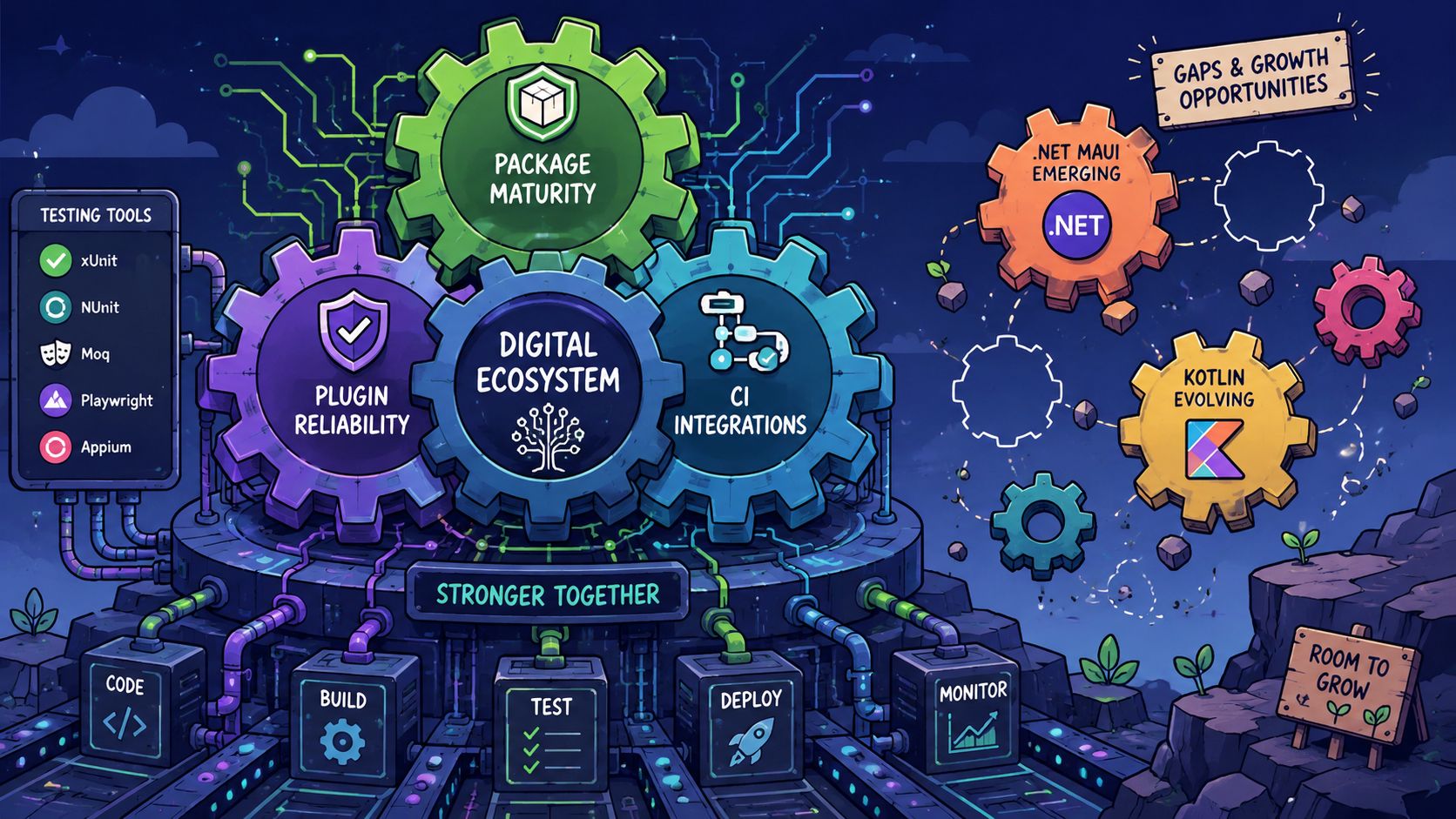
A framework's ecosystem usually matters more than the framework itself after month six. Initial velocity comes from templates and starter kits. Long-term cost shows up in plugins, test coverage, native bridges, and CI reliability.
The plugin maturity gap most comparisons skip
Flutter and React Native dominate attention partly because their ecosystems are broad enough that teams expect a package to exist for almost everything. That assumption breaks down fast in less common stacks.
Current coverage ignores that non-React/Flutter frameworks can force teams to implement 20 to 30% more custom integration code for enterprise-grade features, according to Neueda's framework ecosystem analysis. That extra work often appears in exactly the areas product and growth teams care about most: billing, offline analytics, entitlement sync, advanced motion, and specialized SDK wrappers.
What that means in day-to-day engineering
For React Native and Flutter, teams usually find maintained paths for analytics, in-app purchases, remote config, crash reporting, and UI instrumentation. The work is still real, but it's more often integration and validation than greenfield bridge-writing.
For Kotlin Multiplatform and .NET MAUI, the challenge isn't whether the framework is viable. It is. The issue is whether the exact mobile stack you need is mature enough for your roadmap. If a plugin for billing events, offline segmentation, or rich animation isn't stable, your team writes native glue code, owns upgrade complexity, and debugs across more layers.
Testing and CI should follow the framework's weak spots
I usually advise teams to align test strategy with integration risk:
- Native apps: Put more emphasis on platform-specific UI testing and OS-version regression checks.
- Flutter apps: Focus on rendering correctness, animation behavior, and plugin edge cases across iOS and Android.
- React Native apps: Test native module boundaries aggressively. Most production bugs appear where JavaScript meets platform code.
- Unity and Unreal apps: Separate gameplay QA from mobile commerce and lifecycle QA. Store flows, restore purchases, deep links, and entitlement refreshes often fail outside the game loop.
A mature framework reduces coding time. A mature ecosystem reduces surprise.
CI should mirror that reality. If your app depends on billing, analytics, and dynamic in-app experiences, build pipelines need checks for SDK initialization, store state handling, and runtime configuration loading. Framework choice changes where those failure points live, but it never removes them.
Native Integrations Deployment and Monetization
Cross-platform comparisons often treat OS lag as an annoyance. For growth and monetization teams, it's a budget line.
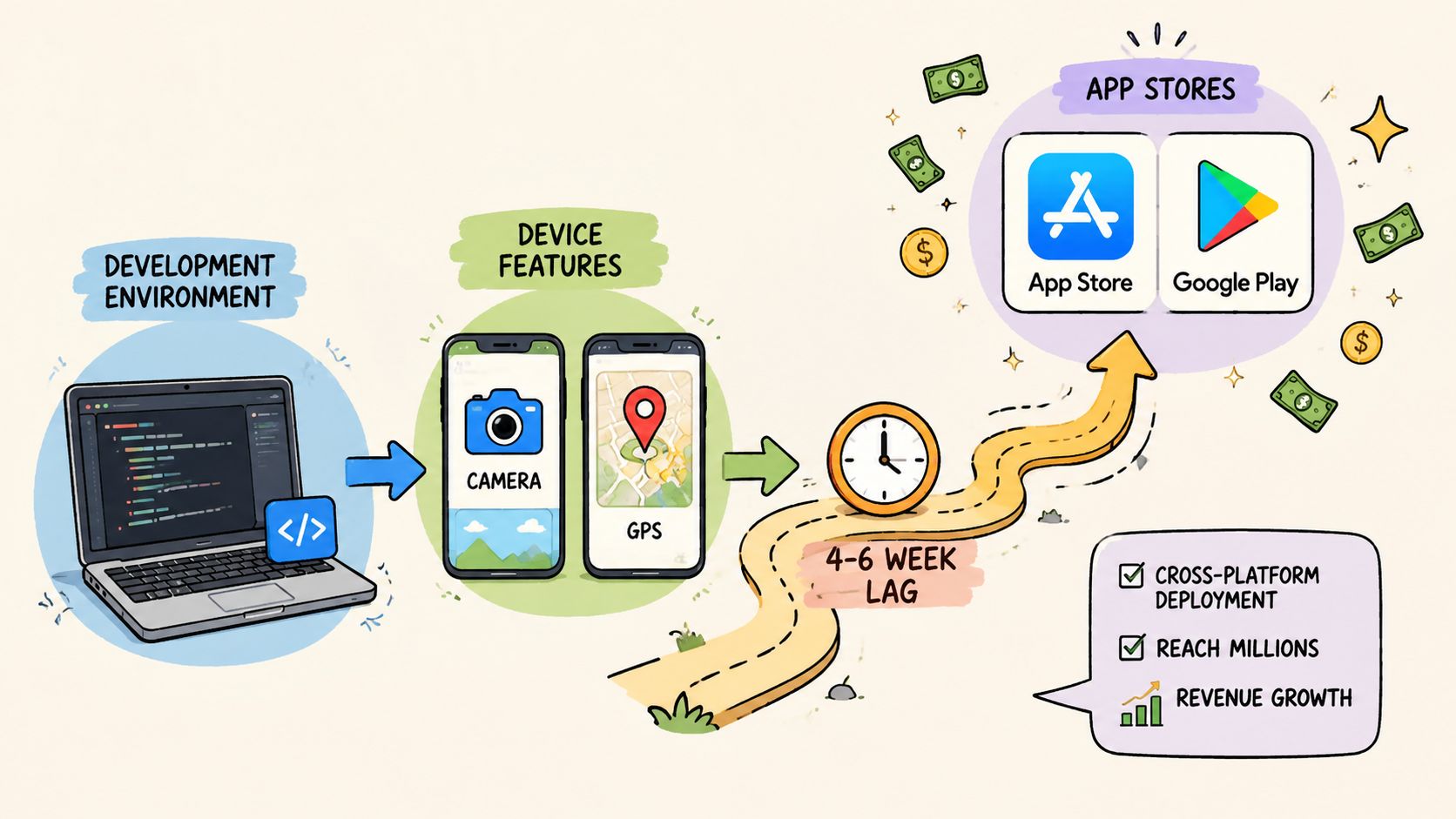
A 4 to 6 week delay in OS feature support can reduce seasonal revenue by up to 12% for teams launching time-sensitive paywalls or ARKit liveops, according to MindTech's mobile framework strategy analysis. That's the hidden cost most framework roundups miss. The issue isn't abstract performance. It's missed launch windows.
Day-one platform access changes monetization strategy
A native iOS or Android team can adopt new store APIs, subscription mechanics, privacy changes, and hardware features as soon as the platform supports them. That matters when:
- Pricing logic changes with the season
- New OS billing capabilities affect conversion
- Liveops events depend on AR or device-specific interactions
- App review requirements shift around privacy or payments
Cross-platform teams can still move fast, but their speed depends on framework support, plugin updates, or custom native fallback work. If you have to wait for the ecosystem, growth loses calendar time. If you patch native code inside a cross-platform app, engineering loses simplicity.
Deployment isn't just about app stores anymore
Modern product teams rarely want every monetization or messaging change tied to a binary release. They want to alter onboarding, paywalls, promos, notices, and personalized surfaces remotely. That changes how framework choice should be evaluated.
A practical deployment model usually splits into two layers:
- Store-bound changes such as binary updates, native API adoption, and permission changes.
- Runtime-delivered changes such as experiments, content, layout variants, offer logic, and in-app sequences.
Provider-agnostic infrastructure matters. Teams often keep existing billing, entitlement, or analytics tools and layer runtime experience delivery on top. The strongest setups avoid forcing a full stack replacement and avoid revenue-share fees on billing and entitlement data, because those costs compound as monetization scales.
Framework-specific deployment guidance
SwiftUI and Jetpack Compose fit products where platform timing is the business risk.
Flutter fits teams that want strong UI consistency and can accept occasional native catch-up work.
React Native fits organizations that value staffing flexibility and quick product iteration.
Unity and Unreal need an explicit plan for native commerce and lifecycle integration around the game client, not just inside the engine.
The hidden cost isn't choosing cross-platform. It's choosing it without modeling feature lag against your revenue calendar.
Integrating Nuxie with Your Framework
Teams don't adopt a growth platform in the abstract. They adopt it because they need remote in-app experiences, analytics, experimentation, billing context, and entitlement-aware personalization without rebuilding the same plumbing across every client.
Nuxie's fit is straightforward: it works as an AI-native in-app experience, experimentation, analytics, billing, entitlement, and growth platform for mobile apps and games, and it supports iOS, Android, React Native, Flutter, Unity, and Unreal. Paywalls are one use case. So are onboarding quizzes, surveys, feature announcements, retention offers, and liveops moments.
Integration model by framework
The right way to integrate Nuxie is to treat it as a runtime layer, not as a demand to rewrite your stack.
- iOS and Android: Add the SDK early in app startup, pass user identity and entitlement state, then trigger surfaces from lifecycle events, feature gates, or analytics milestones. The iOS installation flow starts in the Nuxie iOS SDK installation docs.
- React Native and Flutter: Initialize the native layer once, then expose event tracking and screen triggers through your shared app shell. Keep purchase validation and entitlement sync authoritative in one place.
- Unity and Unreal: Use engine-side calls for event triggers and in-game presentation decisions, while keeping store purchase state and entitlement reconciliation connected to the mobile platform layer.
A practical setup pattern
It is recommended to wire Nuxie in this order:
Initialize at launch
Register the SDK during app boot and identify the signed-in or anonymous user as early as possible.Sync commerce state
Send subscription status, purchase events, restore actions, and entitlement changes from StoreKit, Google Play Billing, RevenueCat, or your existing provider. Nuxie is provider-agnostic, so you don't need to rip out tools that already work.Map experience triggers
Define when to present onboarding, paywalls, retention prompts, surveys, or feature education. Good trigger points include first session milestones, failed conversion attempts, completed levels, and lapsed-return events.Run experiments without app releases
Product and growth teams can change copy, layouts, timing, and targeting remotely instead of bundling every variant into an app update.
Example implementation shape
The exact SDK syntax depends on platform, so the pattern matters more than pseudo-precision. A clean initialization flow looks like this:
// iOS concept
Nuxie.initialize()
Nuxie.identifyUser("user_123")
Nuxie.setEntitlements(["pro"])
Nuxie.track("completed_onboarding_step")
Nuxie.presentExperience("upgrade_paywall")
// Android concept
Nuxie.initialize()
Nuxie.identifyUser("user_123")
Nuxie.setEntitlements(listOf("pro"))
Nuxie.track("viewed_feature_gate")
Nuxie.presentExperience("retention_offer")
// React Native concept
await Nuxie.initialize()
await Nuxie.identifyUser("user_123")
await Nuxie.track("subscription_trial_started")
await Nuxie.presentExperience("welcome_quiz")
Where teams get the most value
Nuxie is strongest when teams connect experience delivery to real app state.
"Don't trigger an in-app moment because the user opened a screen. Trigger it because the user crossed a product threshold."
That means:
- For subscription apps: Show paywalls based on entitlement gaps, usage depth, trial state, and offer eligibility.
- For content and media apps: Present personalized recommendations, surveys, and feature education after engagement signals, not only on first launch.
- For games: Tie offers, announcements, and event prompts to level progress, inventory conditions, and liveops windows.
The important implementation detail is commercial neutrality. Nuxie can work alongside RevenueCat, Firebase, StoreKit, Google Play Billing, and other providers, and it doesn't charge a revenue-share fee for billing or entitlement data. That matters if your team wants one runtime for in-app experiences and experimentation without locking the rest of the stack to a single vendor.
Choosing the Right Framework for Your Team
The best framework isn't the one with the loudest community. It's the one your team can operate under pressure.
Recommendations by team shape
Choose React Native if your company already ships web products in React or TypeScript and needs staffing flexibility. React Native has a 6x larger pool of available developers compared with Flutter in 2026, according to Startupa's mobile stack comparison. That changes hiring speed, contractor availability, and MVP resourcing.
Choose Flutter if your product wins on visual consistency, animation smoothness, and a tightly controlled branded UI. Consumer apps, subscription funnels, and polished cross-platform surfaces often benefit from Flutter's rendering model more than from JavaScript ecosystem familiarity.
Choose native SwiftUI and Jetpack Compose if your roadmap depends on new OS features, direct hardware access, or immediate adaptation to platform changes. If missing a billing API update or device capability window would cost revenue, native is still the safest answer.
Recommendations by product type
- Growth-heavy subscription apps: Flutter or React Native for shared product velocity, native if billing and OS timing are core risks.
- Enterprise apps: .NET MAUI if your organization is substantially invested in C#. Kotlin Multiplatform if your Android team leads architecture and wants native UI on both platforms.
- Games and interactive apps: Unity or Unreal for the game client. Pair them with a deliberate mobile integration plan for analytics, entitlements, store flows, and runtime in-app experiences.
- AR and hardware-sensitive apps: Native first.
The strongest architecture choice is usually boring in hindsight. It matches team skills, release pressure, and monetization timing so well that nobody argues about the framework after launch.
A good framework lowers future regret. A bad one keeps showing up in roadmap meetings.
If your app or game needs remote in-app experiences, experimentation, analytics, billing context, and entitlement-aware journeys across iOS, Android, React Native, Flutter, Unity, or Unreal, Nuxie is worth evaluating. It works with existing providers, supports paywalls without being limited to paywalls, and gives product, growth, and engineering teams a shared way to ship onboarding, offers, surveys, announcements, and liveops moments without waiting on every app release.