User Journeys vs User Flows: A Guide for Mobile Teams
Confused about user journeys vs user flows? This guide clarifies the difference with mobile examples and shows how to map and measure both for growth.
Nuxie pricing reviewed October 6, 2026. Creation credits have separate plan charges. The revenue fee is waived when monthly attributed revenue is at most $10,000; above that threshold, 1% applies to the full adjusted net amount. See current Nuxie pricing.
The debate usually starts five minutes before the sprint ends.
A PM wants to tighten onboarding before the next release. A designer asks for time to map the full acquisition and activation journey. Engineering wants a concrete screen-by-screen flow so work can get into Jira. Growth is looking at paywall drop-off, support is hearing complaints from users who arrived through a promo campaign, and nobody agrees on whether the team needs a journey map, a user flow, or both.
Mobile teams hit this problem constantly because the work spans more than the app. A user might discover your product from TikTok, install on iOS, hit a permission screen, abandon, come back from an email, then convert after a discount offer on Android tablet or inside a React Native shell. If you're building a game, that path might include Discord, an App Store page, a live event, and a battle pass offer. If you're shipping fast, it's tempting to skip the broad view and go straight to wireframes.
That shortcut is where teams confuse strategy with implementation. Journeys help you decide what problem to solve and where the friction starts. Flows help you define how the user moves through a specific task once they're inside the experience. The strongest mobile products don't treat these as competing artifacts. They treat them as a chain from insight to execution.
The Strategy Debate in Your Stand-Up Meeting
A common stand-up scenario looks like this. The team sees a weak onboarding completion rate, so someone opens Figma and starts sketching a cleaner welcome sequence. Another person pushes back because the issue may not be the screens at all. Maybe the users arriving from paid social think the app does one thing, then land in a first-run experience that asks for something else. Maybe the paywall appears before value is clear. Maybe Android and iOS behave differently enough that the same "flow" isn't the same user experience.
That's the core tension in user journeys vs user flows. One tool helps you inspect the full chain of intent, expectation, emotion, and channel context. The other helps you build a precise path through a task.
In mobile, the distinction matters more than it does in a simple desktop web product because the environment is fragmented. Teams often support iOS and Android at minimum, then add React Native or Flutter for shared development, and sometimes Unity or Unreal for game surfaces. Push notifications, billing, app store listing, support tickets, email prompts, and deep links all shape whether a user arrives ready to act or ready to leave.
If the team is arguing about why users are struggling, start with a journey. If the team is arguing about which screen comes next, start with a flow.
The mistake isn't choosing one. The mistake is using a flow diagram to answer a strategy question, or using a journey map when engineering needs a concrete sequence with decision states and exits. New PMs often learn this the hard way because both artifacts "map the user," but they solve different problems and create different kinds of alignment.
Defining User Journeys and User Flows
A useful way to think about this is road trip versus turn-by-turn navigation.
A user journey is the road trip. It starts before the user opens your app and often continues after the immediate task is done. It includes discovery, evaluation, install, onboarding, first success, billing, support, re-engagement, and advocacy. It also includes what the user feels at each stage.
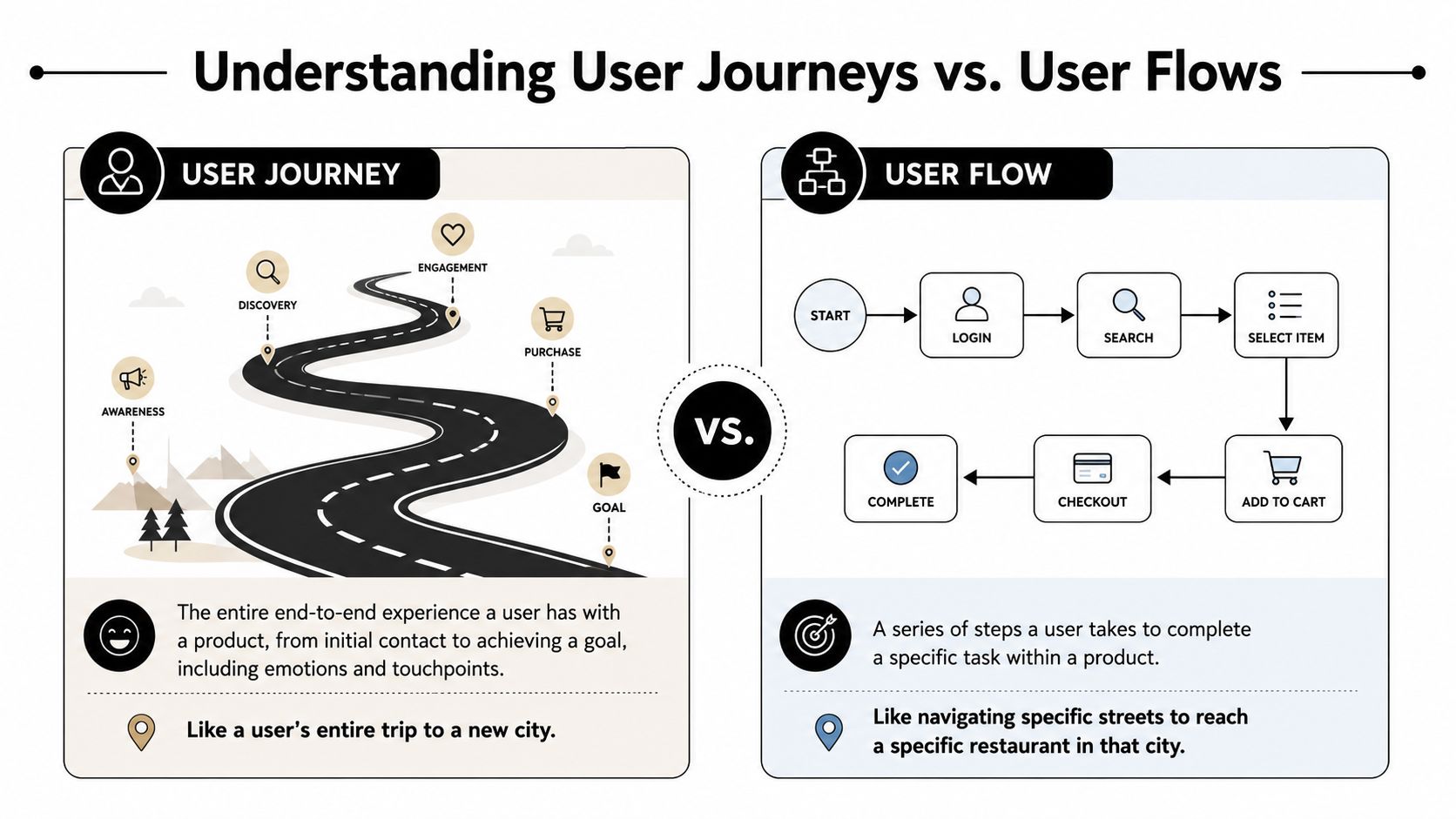
A user flow is the turn-by-turn route for one segment of that trip. It maps the screens, actions, branches, and decisions required to complete one task, such as finishing signup, changing notification settings, restoring a purchase, or completing a battle pass purchase inside a game.
What makes a journey a journey
Foundational UX research draws the line clearly. User journeys capture comprehensive, cross-channel experiences that often span multiple days, weeks, or even months, whereas user flows are limited to specific, micro-level interactions within a single product that typically resolve in minutes according to Nielsen Norman Group's explanation of user journeys and user flows.
That matters because mobile products rarely win or lose on interface logic alone. They win or lose across a chain of touchpoints. A user might feel curious from a store listing, skeptical during permissions, relieved after trying a core feature, then frustrated during billing recovery. A journey map captures that motion.
A flow doesn't. It shouldn't.
What makes a flow a flow
A flow is narrower and more operational. It focuses on usability, sequence, and decision logic within the product. UXPressia's comparison of user flow vs user journey frames the distinction well: journeys prioritize emotional state and brand perception across touchpoints, while flows concentrate on technicalities, usability, and logical progression inside a feature or process.
That means a flow can answer questions like:
- Entry point: Did the user come from a push, paywall trigger, home screen card, or settings menu?
- Decision logic: What happens if they dismiss, fail payment, choose annual, or restore purchase?
- Success state: Where should they land after completion?
A short visual helps cement the difference.
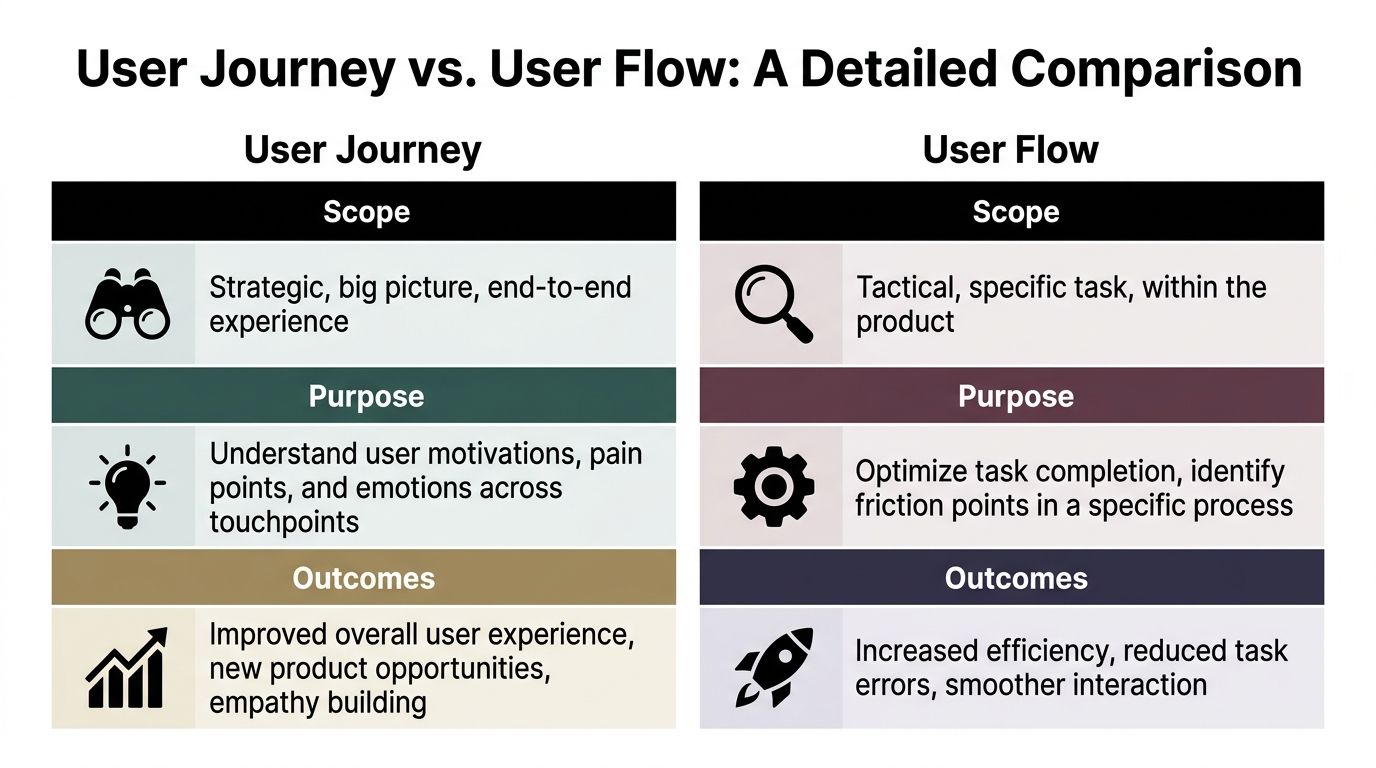
Detailed Comparison Scope Purpose and Outcomes
Here's the shortest useful comparison for mobile teams.
| Dimension | User journey | User flow |
|---|---|---|
| Scope | End-to-end experience across channels and time | One task or use case inside the product |
| Primary lens | Motivation, context, emotion, perception | Steps, screens, branches, logic |
| Typical output | Narrative map with stages, touchpoints, highs and lows | Flowchart with actions, decision nodes, and exits |
| Best for | Product strategy, churn diagnosis, launch planning | UX design, implementation, conversion optimization |
| Common owners | Product, growth, research, support | Product design, engineering, QA |
| Mobile examples | Ad to install to onboarding to retention offer | Onboarding sequence, checkout path, settings task |
Scope
A journey is broad by design. It can include out-of-app moments such as an App Store listing, review content, email prompts, push notifications, customer support, or a Discord announcement for a game event. That's why it belongs in strategy conversations.
A flow is bounded. It starts at an entry point and ends when the task succeeds, fails, or exits. That's why engineers can implement it.
Most important difference in scope: a journey can include channels your app team doesn't fully control. A flow only covers the interaction path you can design and ship.
Perspective
Journeys reflect the user's point of view. They ask what the user is trying to do, what they expect, what they feel, and which touchpoints shape trust. In mobile, this is often where teams discover that the friction started before the first screen.
Flows reflect the product's point of view. They ask what sequence of UI states, backend checks, permissions, and branches must occur for completion. That's where design handoff and QA become concrete.
Output
A journey map usually contains stages, touchpoints, user actions, thoughts, feelings, and opportunity areas. It's a planning artifact. You read it to spot misalignment across acquisition, product, billing, and support.
A flow diagram contains screens, nodes, conditions, and transitions. It's an execution artifact. You read it to remove confusion, edge cases, and implementation ambiguity.
A journey tells you where the problem lives. A flow tells you how to fix one piece of it.
Outcomes
Journeys often lead to changes in positioning, timing, messaging, channel coordination, and lifecycle design. They can reveal that a feature isn't the issue. The expectation set by an ad, store screenshot, or push campaign may be the issue.
Flows tend to produce cleaner interfaces, fewer dead ends, more predictable engineering work, and better task completion. They help teams decide what happens when a user taps back, skips, retries, restores, closes, or reaches an entitlement check.
For mobile and game teams, that split is practical. If you're launching a new progression system in a Unity or Unreal title, the journey may include community announcement, install return, event entry, reward anticipation, and post-event retention. The flow is the set of UI states used to claim rewards, review offers, and complete purchase.
When to Use Each Tool in Mobile Development
The simplest rule is this. Use a journey when the question spans channels, expectations, or retention. Use a flow when the question sits inside a screen sequence.
Start with journeys for strategic mobile problems
Journey mapping earns its keep when the team is working on:
- Onboarding strategy: Especially when install intent varies by acquisition source
- Churn diagnosis: Users may leave because of mismatch between promise and early experience
- Subscription lifecycle design: Trial start, renewal, cancellation, win-back, and support all affect conversion and retention
- Cross-channel launches: Feature announcements, push prompts, store page messaging, and in-app education have to line up
- Game liveops planning: Community hype and in-game delivery need to feel continuous
One reason this matters is measurable. Recent 2024 industry reports show teams that skip journey analysis for mobile onboarding flows see 18–22% lower activation rates, especially in subscription-based iOS apps, as summarized in Slickplan's discussion of user journey vs user flow.
That doesn't mean every feature needs a giant workshop. It means the team shouldn't optimize a first-run flow in isolation if the activation problem begins before the app opens.
Use flows when implementation details decide the outcome
Flows are the right tool when the team needs to ship or refine a specific path:
- Onboarding screens
- Account creation
- Permission prompts
- Checkout and paywall sequences
- Restore purchase and entitlement recovery
- Quest claim or battle pass purchase in a game
- Settings changes or profile edits
If you need to define the actual branches, state handling, and screen order, a journey map won't give engineering enough precision. A flow will.
A good operating model is to let the journey identify the moments that matter, then convert those moments into implementable flows. Teams that build in-app experiences dynamically often need this bridge because strategy artifacts die in slides if nobody turns them into runtime logic. That's why tools such as an in-app flow builder for mobile teams fit best after the journey work has identified the critical moments.
Practical rule: if a feature owner can't point to the trigger, branch conditions, and exit states, the team doesn't have a usable flow yet.
Building Journeys and Flows for Apps and Games
The easiest way to keep these artifacts useful is to make them lightweight and operational. The journey is often overcomplicated, and the flow is under-specified.
A practical journey template
For mobile apps and games, a journey map only needs five parts:
Stages
Awareness, consideration, install, first session, activation, conversion, retention, re-engagement, support.Touchpoints
Include both in-app and out-of-app moments. Think App Store page, push, email, ad click, Discord message, app open, customer support, billing recovery.User actions
Keep these observable. "Viewed paywall." "Dismissed permission prompt." "Joined live event." "Contacted support."Thoughts and feelings Journeys address this specific element in ways flows cannot. Capture confidence, confusion, excitement, hesitation, or frustration.
Opportunities
End each stage with a concrete response. Better expectation-setting, later paywall timing, clearer restore purchase path, more contextual offer.
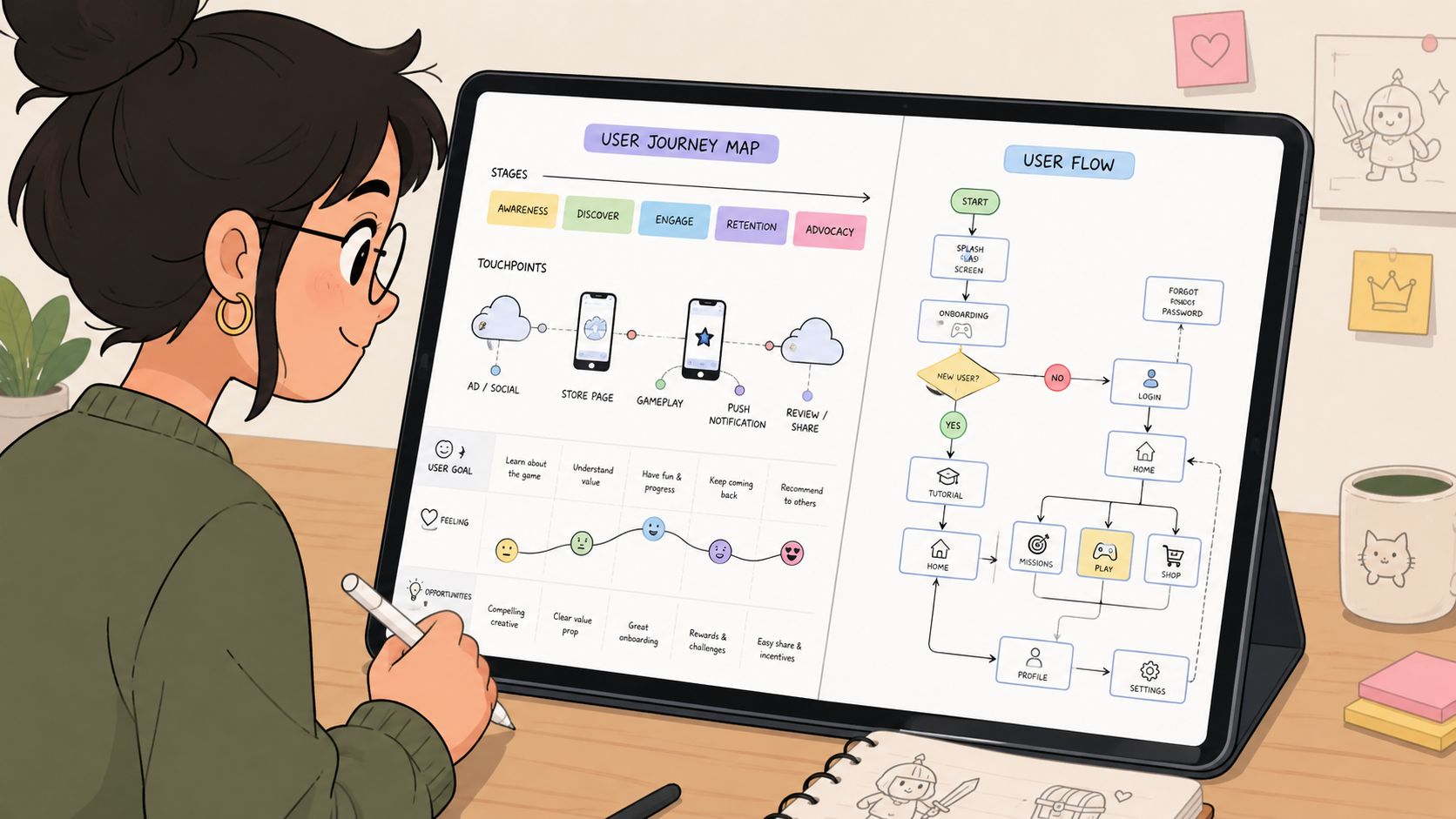
For a game, the journey might start in a Discord community, move through an event teaser, return the player to the app, present a limited-time screen, and end in an in-game purchase or reward claim. That's still a journey even though only part of it happens inside the game client.
A practical flow template
A usable user flow for implementation should include:
- Entry point with trigger source
- Screens or states in order
- Decision nodes such as trial eligibility, entitlement check, payment success, dismiss, or restore
- Fallback paths for failure, timeout, offline, or declined purchase
- Success state with the next destination clearly defined
For cross-platform teams, add one more layer: platform-specific behavior. Flutter and React Native can unify much of the codebase, but the runtime context still changes what users see and when they trust it.
Flutter is often attractive for flow-heavy products because it renders every pixel directly on the screen using its Skia-based engine instead of relying on native iOS/Android components, which supports consistent UI replication across platforms according to this Flutter architecture overview. That consistency can make flow implementation more predictable.
Games need more caution. Unity's rendering and UI features are fundamentally not designed to mimic native app behavior on mobile platforms, making it unsuitable for most mobile app development outside special cases according to this Unity discussion about mimicking native apps. In practice, that means teams building monetization or lifecycle surfaces inside a Unity title often need a stricter process for defining native-feeling flows.
If you're managing versioned in-app experiences across releases, a good reference point is flow versioning for campaigns, because flow maintenance becomes just as important as initial design once liveops and experiments start stacking up.
Connecting Journeys and Flows with Nuxie
The actual gap in most organizations isn't understanding the difference between a journey and a flow. It's operationalizing the connection between them.
A strategy team maps a strong journey. Design turns one moment into a polished flow. Then the artifact stalls because engineering has to rebuild it separately for iOS, Android, React Native, Flutter, and maybe a Unity or Unreal runtime. Analytics ends up fragmented, billing events live somewhere else, and experimentation gets bolted on later.
Where cross-platform execution breaks down
That breakdown is common in mobile because platform architecture shapes what can be shipped consistently. React Native architecture uses a bridge to communicate between JavaScript code running on a separate thread and native iOS/Android components, which introduces potential points of failure and makes it slower than Flutter for animations and rendering despite both being close to native performance, as described in this explanation of React Native and Flutter architecture.
That doesn't mean React Native is the wrong choice. It means teams need to be honest about where flow complexity, animation fidelity, and native integration can diverge across platforms. The same is true when a game team supports a Unity client and wants surrounding surfaces to feel closer to native mobile UX than traditional game UI.
What a unified platform changes
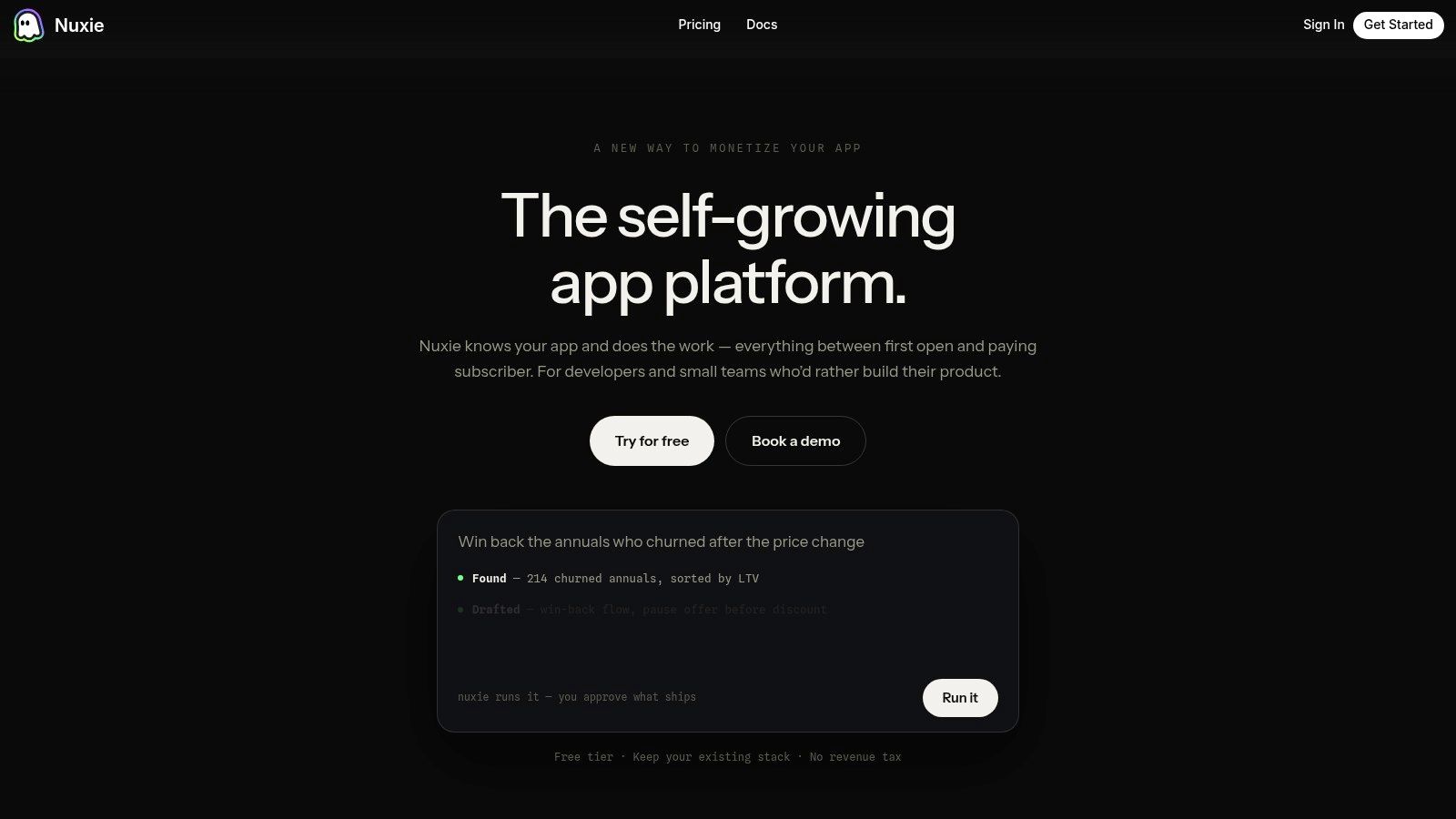
Nuxie functions as an AI-native in-app experience, experimentation, analytics, billing, entitlement, and growth platform for mobile apps and games. The useful part isn't just building a flow. It's tying one flow to the larger journey, then shipping, measuring, and iterating it across iOS, Android, React Native, Flutter, Unity, and Unreal without treating each runtime as a separate product.
That matters for more than paywalls, though paywalls are a clear example. A team might define a journey moment such as "user has seen value but hasn't subscribed." The corresponding flow could be an onboarding quiz result, an upgrade screen, a restore purchase branch, or a retention offer. Another team might use the same structure for a feature announcement, survey, progression milestone, or liveops event.
Nuxie is also provider-agnostic. Teams can use it alongside existing tools and data providers instead of ripping out current infrastructure. For billing and entitlement work, that's a practical advantage because it can work with existing systems and does not charge a revenue-share fee for billing or entitlement data.
For teams trying to connect strategic mapping to deployable mobile experiences, journey orchestration documentation is the kind of implementation layer that turns "important moment in the lifecycle" into something testable and shippable.
A journey without a deployable flow becomes research theater. A flow without journey context becomes local optimization.
Measuring and Experimenting on Your Flows
Once a flow is live, measure it at two levels.
At the flow level, track completion, branch drop-off, retries, dismissals, restore attempts, and time to success. These metrics tell you whether the implementation works. If users abandon between feature education and paywall, that is a flow problem. If they never arrive in the right state to begin with, that's probably a journey problem.
At the journey level, look at what those flow behaviors do to activation, retention, subscription conversion, and long-term value. A cleaner onboarding path matters because it changes the larger user lifecycle, not because the diagram looked tidy.
A clean experiment loop
A practical experiment loop for mobile teams looks like this:
- Hypothesis: Users need clearer value framing before the upgrade ask.
- Variant design: Test different paywall copy, layout, sequencing, or offer presentation.
- Flow metrics: Compare completion and drop-off by branch.
- Journey metrics: Check whether the better-performing flow improves downstream retention and conversion quality.
- Deployment: Roll out the winner remotely instead of waiting for a full app release.
Teams often underestimate the value of unified analytics and experimentation. The faster you can connect a branch decision to a downstream retention outcome, the faster you stop debating artifacts and start improving the product.
Nuxie helps mobile and game teams turn journey thinking into shippable flows across iOS, Android, React Native, Flutter, Unity, and Unreal. If you need one platform for in-app experiences, experiments, analytics, billing, and entitlements under its published pricing, explore Nuxie.