Remote Config Firebase
Remote config firebase - Master Firebase Remote Config in 2026. This guide covers setup, fetch strategies, targeting, troubleshooting, and advanced growth for
You ship a release on Friday. By Saturday morning, support tickets start coming in. A new onboarding step confuses users in one country, a promo banner overlaps a game HUD on smaller Android devices, and your paywall copy underperforms in a segment you thought would convert.
You can wait for App Store review and Google Play rollout. Or you can change behavior remotely, tighten risk, and keep learning while the app stays live.
That's why mobile teams keep coming back to Firebase Remote Config. It's one of the most practical tools in the Firebase stack because it separates deploying code from exposing behavior. Used well, it becomes the control layer for launches, experiments, staged rollouts, pricing presentation, feature gating, and emergency kill switches. Used poorly, it causes flicker, stale values, brittle parameters, and hard-to-debug failures.
Why Your Mobile Team Needs Remote Config
The usual trigger for adopting Remote Config isn't architectural elegance. It's pain.
A product manager wants to hide a new homepage module after launch. Growth wants to test a different paywall headline for users in a specific audience. A game team needs to soften a tuning value without pushing a client update. Engineering wants a kill switch in case a feature starts crashing older devices.
Firebase Remote Config was introduced in June 2016 to let developers change app behavior and appearance without app updates, and it works as a cloud key-value store that apps can fetch and cache while developers keep control over when new values are activated, according to the Firebase introduction to Remote Config.
What it actually changes in practice
Remote Config is simple at the surface. You define keys in Firebase, ship defaults in the app, fetch values from the cloud, and decide when they take effect.
That simplicity is exactly why it's useful across teams:
- Engineering uses it for release safety. Feature flags, kill switches, environment-specific behavior, and UI variants become remotely controlled.
- Product uses it for controlled rollout. You can stage a feature instead of flipping it globally on day one.
- Growth uses it for targeting and testing. Headlines, offer framing, tutorial order, and paywall presentation can all be adjusted without waiting for a new binary.
- Game teams use it for live tuning. Difficulty gates, offer timing, event copy, and surface-level balancing become easier to iterate.
Practical rule: If a behavior may need to change after release, give it a config key before you need it.
Why this is more than feature flags
Teams often begin with booleans such as new_home_enabled=true. Mature teams expand from there. They move pricing text, button labels, onboarding order, promo visibility, card ranking, and experiment variants into remotely controlled parameters.
That's when Remote Config stops being a utility and becomes part of your growth system. It won't replace a full in-app experience platform, but it's a strong foundation for teams that need faster iteration. If your team is already thinking beyond simple flags, this primer on what an in-app experience platform does is the next layer up from raw config values.
Initial Setup and Strategic Parameter Design
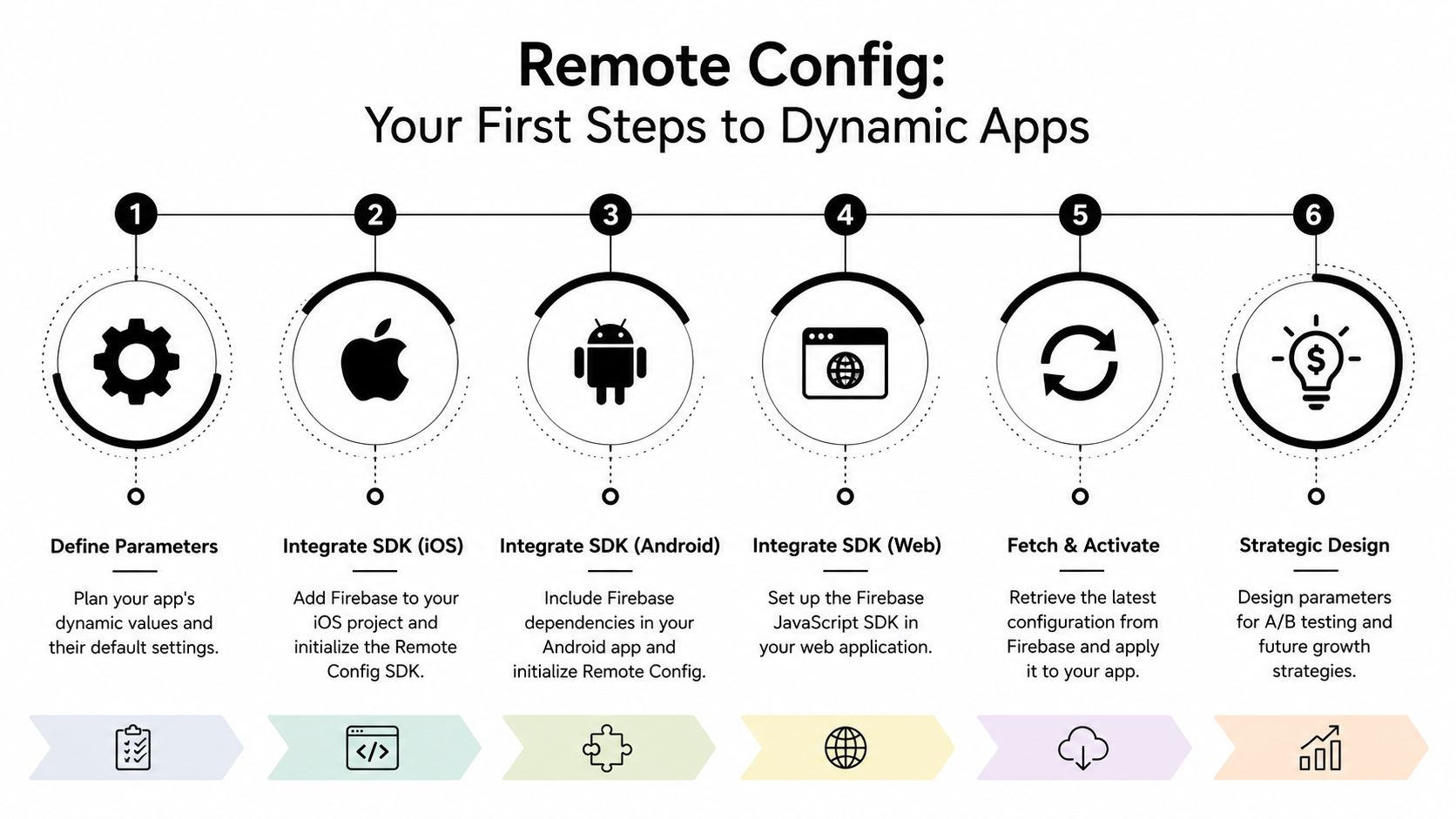
Getting Firebase Remote Config running is straightforward. Designing it so it doesn't become a mess six months later is the actual work.
Start with defaults, not the console
Remote Config should never be your only source of truth. Every parameter needs a sensible in-app default so the app still behaves correctly when fetches fail, values are stale, or a key is missing.
A small default set often beats a giant config blob. You want values that are readable in code review and easy to reason about when incidents happen.
Here's the shape I prefer across platforms:
Swift
let remoteConfig = RemoteConfig.remoteConfig()
let defaults: [String: NSObject] = [
    "paywall_headline": "Go Premium" as NSString,
    "new_onboarding_enabled": false as NSNumber,
    "home_feed_layout": "control" as NSString
]
remoteConfig.setDefaults(defaults)
Kotlin
val remoteConfig = FirebaseRemoteConfig.getInstance()
val defaults = mapOf(
    "paywall_headline" to "Go Premium",
    "new_onboarding_enabled" to false,
    "home_feed_layout" to "control"
)
remoteConfig.setDefaultsAsync(defaults)
React Native
import remoteConfig from '@react-native-firebase/remote-config';

await remoteConfig().setDefaults({
  paywall_headline: 'Go Premium',
  new_onboarding_enabled: false,
  home_feed_layout: 'control',
});
Flutter
final remoteConfig = FirebaseRemoteConfig.instance;
await remoteConfig.setDefaults(const {
  'paywall_headline': 'Go Premium',
  'new_onboarding_enabled': false,
  'home_feed_layout': 'control',
});
Name parameters like an API
Teams get into trouble when parameters are named for one short-term experiment and then reused for unrelated behavior.
Use names that describe the business meaning, not the temporary implementation. Good names survive multiple releases.
A practical convention:
| Parameter type | Better example | Avoid |
|---|---|---|
| Feature gate | feature_onboarding_v2_enabled |
new_feature |
| Copy | paywall_headline_primary |
headline_test |
| Layout | home_feed_card_style |
variant_b |
| Tuning | level_intro_enemy_speed |
speed_fix |
Three rules help:
- Scope keys clearly. Prefix by domain like
paywall_,onboarding_,home_,liveops_. - Avoid overloaded values. Don't make one key control copy, layout, and eligibility at once.
- Retire stale parameters. Old flags add confusion quickly.
A Remote Config namespace is a product interface. Treat it with the same care as your public app API.
Simple values versus JSON
Teams often ask whether to store one key per value or ship structured JSON. The answer depends on change frequency and operational risk.
Use simple keys when:
- individual values need different conditions
- non-engineers need clarity in the Firebase console
- rollbacks should isolate one behavior at a time
Use JSON when:
- several values must stay in sync
- the app renders a structured block such as a modal payload
- versioning the shape matters more than console readability
JSON is powerful, but it's also easier to break with malformed structure or type mismatches. For many mobile teams, primitives plus a few carefully bounded JSON payloads is the safest middle ground.
Don't skip Analytics if you need targeting
Conditional targeting based on user properties and audiences requires Google Analytics to be enabled in the Firebase project. Without it, you can't segment users and deliver different values to them, as shown in the Firebase Android codelab for Remote Config targeting.
That matters for common use cases such as:
- showing a different paywall treatment to a known segment
- exposing a feature only to internal testers
- changing onboarding for a defined audience
- targeting retention messaging to users with specific properties
If your team wants personalization, audience-based rollout, or experiment segmentation, Analytics isn't optional.
Mastering Fetch Strategies and Caching
Most Remote Config implementation problems don't come from setup. They come from when values are fetched and when they're activated.
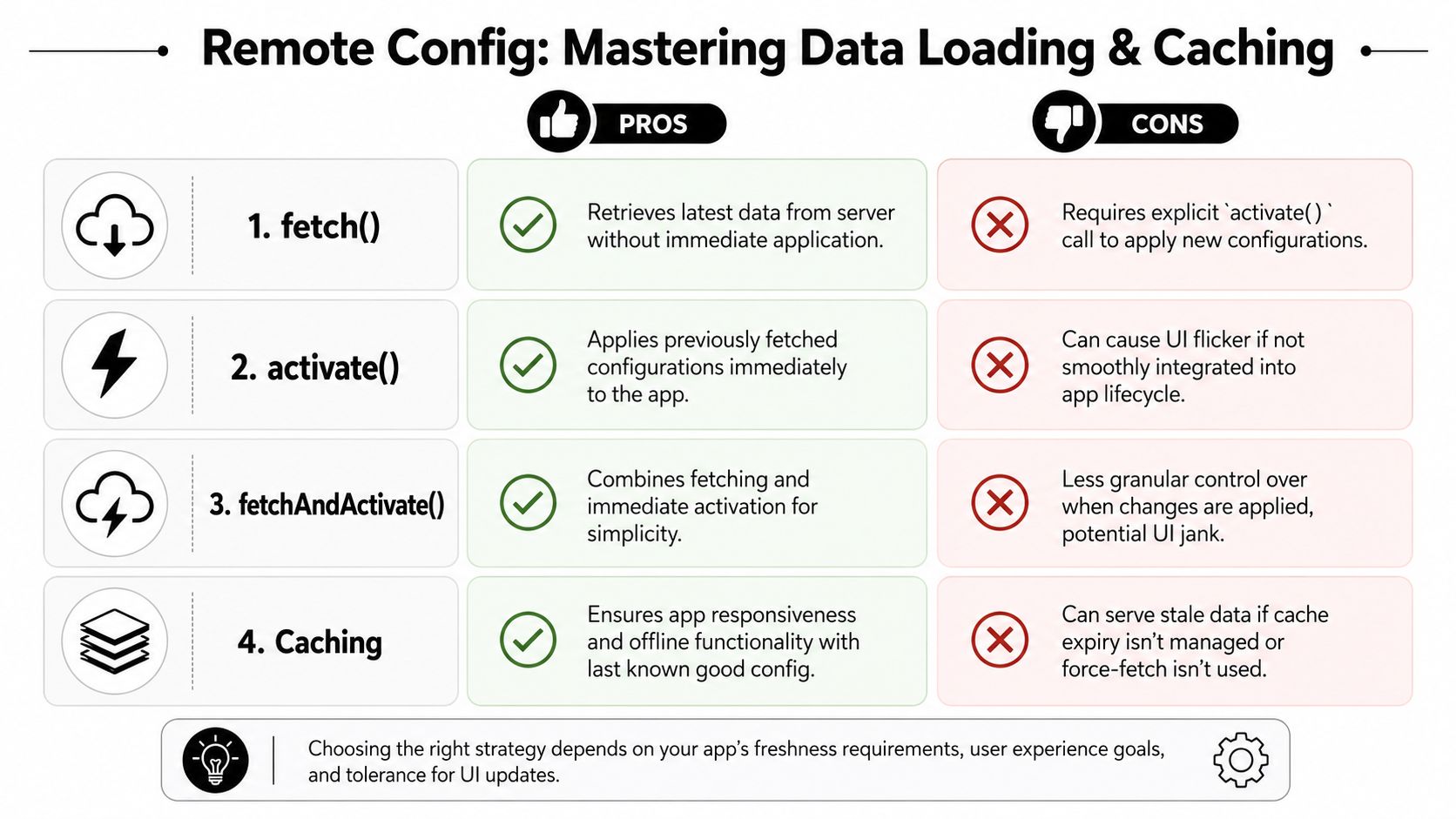
The official loading guidance is better than most blog posts on this topic. The recommended pattern is to activate previously fetched values on startup, then fetch new values asynchronously for later use. The same guidance warns that calling fetchAndActivate() directly at launch can cause UI flicker unless you hold the app behind a loading screen, according to the Firebase loading strategies documentation.
The lifecycle that works in production
Think in three verbs:
- Fetch gets remote values from Firebase.
- Activate applies fetched values to the app.
- fetchAndActivate does both immediately.
The cleanest production flow is usually:
- Activate any previously fetched values on startup.
- Render the UI immediately.
- Start an asynchronous fetch in the background.
- Keep the newly fetched values for the next startup, unless you have a reason to activate right away.
This avoids launch-time flicker and keeps behavior predictable.
Here's the mental model that matters: startup should be fast and deterministic; remote freshness can follow behind.
When fetchAndActivate() is fine
fetchAndActivate() isn't wrong. It's wrong in the wrong place.
Use it when:
- your app already has a splash or loading gate
- the screen can't render safely without current config
- you're applying a low-risk surface where a small wait is acceptable
Avoid it on a visible home screen launch where users will see controls move, prices relabel, or modules appear after first paint.
If users can see the screen before activation finishes, assume they'll notice every config-driven jump.
A simple comparison helps:
| Strategy | Best use | Main downside |
|---|---|---|
activate() on startup |
Fast stable launch using last known values | New publish waits until next session unless you add real-time handling |
Background fetch() |
Keeps next session fresh | No immediate user-visible change |
fetchAndActivate() at gated launch |
Simple when a loading screen already exists | Can delay entry |
fetchAndActivate() on visible launch |
Rarely worth it | UI flicker and jank |
For teams implementing config-heavy iOS apps, this is also where app-side setup discipline matters. A clean runtime initialization pattern matters as much as the Firebase console setup. This iOS SDK configuration guide is a good example of the broader initialization hygiene strong mobile stacks need.
A quick visual walkthrough helps if your team is aligning product and engineering on the loading lifecycle:
Cache behavior and real-time updates
Firebase Remote Config supports a minimum fetch cache time of 10 minutes and stores up to 300 lifetime versions of Remote Config templates per template type, including deleted versions, according to the Firebase Remote Config documentation. That version history is useful operationally, but it also means config hygiene matters because old history still counts.
Real-time updates change the equation for urgent cases. On supported SDKs for Android, Apple platforms, C++, Unity, and Flutter, you can attach listeners so newly published values are delivered immediately instead of waiting on the normal fetch interval, as described in the Firebase feature flags post on real-time Remote Config.
That's what makes Remote Config practical for emergency rollbacks. If a feature gate is causing crashes, a listener-driven update can disable it without waiting for the next normal refresh cycle.
Targeting Users and Staging Feature Rollouts
The easiest way to misuse Remote Config is to treat every release like a global toggle. Mature teams stage risk.
A clean rollout starts with one question: who should see this first? Sometimes the answer is internal staff. Sometimes it's a language segment, a country, a recent app version, or a monetization audience. Sometimes it's just a tiny slice of traffic that lets you observe behavior before wider exposure.
A practical rollout pattern
Suppose you're shipping a redesigned onboarding flow. Don't expose it to everyone immediately.
Use a sequence like this:
Internal validation Set a condition for your own test cohort first. Make sure analytics events, navigation, purchase flow, and deep links still work.
Small public exposure Open the flag to a small audience. Watch support feedback, crash monitoring, funnel completion, and session behavior.
Broader rollout Expand once the flow is stable and metrics look sane.
Full release Remove the old branch from the codebase after confidence is high enough.
The exact percentages and timing should match your risk tolerance, release cadence, and app category. A casual game liveops change is different from a subscription checkout change. A growth surface can tolerate more experimentation than an entitlement gate.
What to target
Remote Config conditions become useful when tied to real product questions.
Good targets include:
- App version. Useful when only newer clients understand a parameter.
- Language or country. Helpful for copy changes, promo eligibility, or region-specific UI.
- User properties. Common for internal testers, subscriber states, or behavioral cohorts.
- Audiences. Better for coordinated product and growth campaigns.
- Platform. iOS and Android often need separate treatment. Cross-platform stacks like React Native, Flutter, and Unity may also need platform-aware config to account for SDK differences.
Here's a simple decision table:
| If you need to change | Best Remote Config pattern |
|---|---|
| One binary yes/no release gate | Boolean flag |
| Visual or copy variant | String parameter |
| A small set of modes | Enum-like string values |
| Related UI payload | Structured JSON, carefully validated |
| Platform-specific behavior | Separate keys or conditions by platform |
Remote Config is strongest when the app already knows how to render each allowed state. It's weak when the config itself has to invent product logic on the fly.
Paywalls are one use case, not the only one
Paywalls are an obvious fit. You can test headlines, button copy, promo labels, eligibility messaging, and the order in which offers appear. But the same approach works for onboarding screens, feature announcements, surveys, tutorial pacing, event banners, and game liveops moments.
If you want a working pattern for app-side rollout control, this feature gating cookbook shows the kind of discipline that keeps gates understandable across teams.
A note on experimentation
Remote Config works with Firebase A/B Testing, and that's useful when you want to compare variants tied to product metrics inside the Firebase ecosystem. It's solid for straightforward comparisons such as:
- headline A versus headline B on a paywall
- tutorial variant control versus simplified
- call-to-action copy by audience
- promo card order for a defined segment
Where teams start to hit limits is when they want richer journey logic, visual editing, cross-screen orchestration, or provider-agnostic analytics tied to billing and entitlement outcomes. Remote Config can support those initiatives at the edge, but it won't become that whole system by itself.
Troubleshooting Common Failures and Limitations
The biggest mistake teams make with Firebase Remote Config is assuming that if the console looks healthy, the app must be fine.
It isn't always fine.
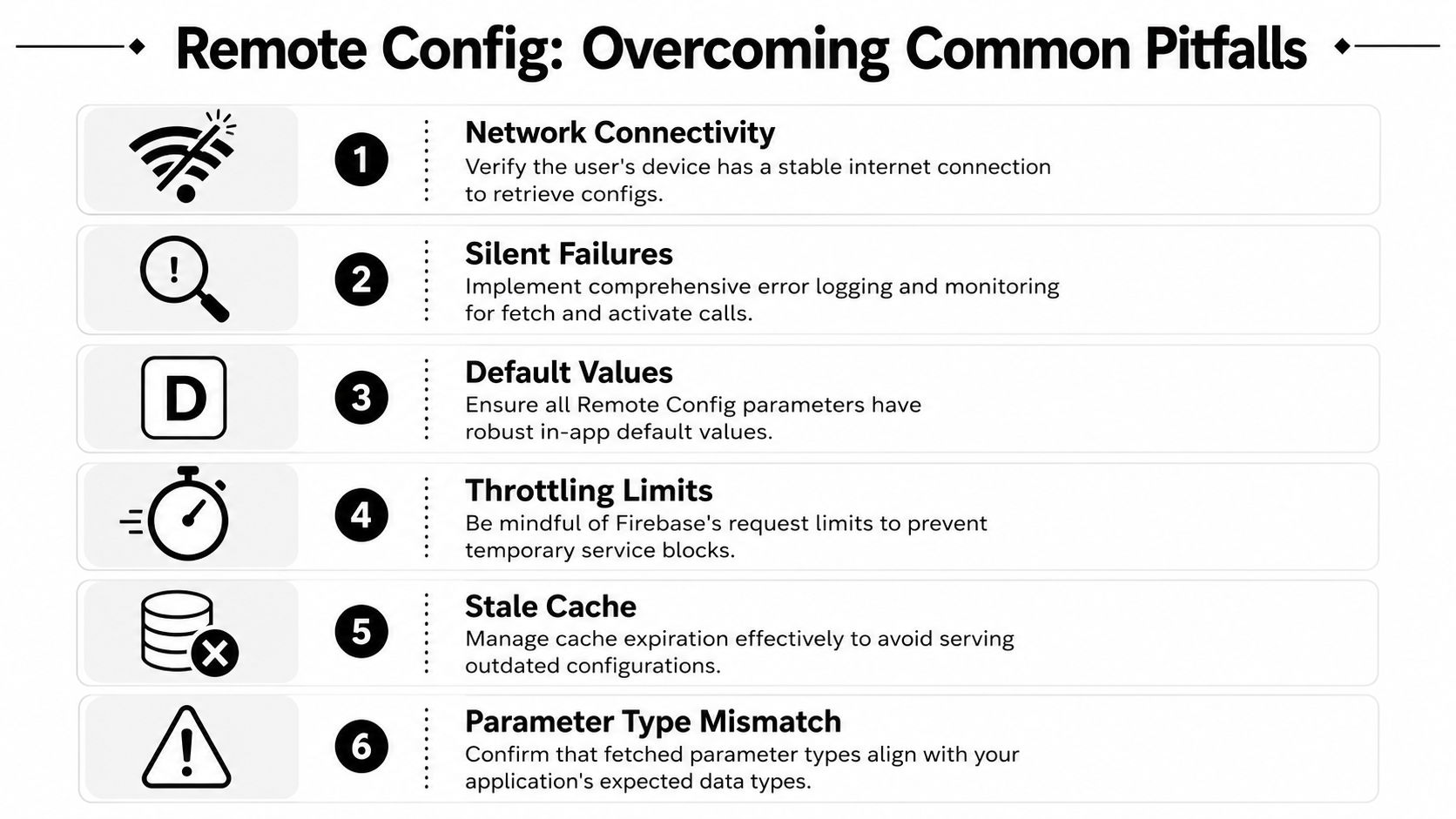
Firebase Remote Config can fail without notification because of network issues or throttling, with no built-in error callback, and there's also a reported React Native Firebase issue that breaks audience-based conditional targeting for segmented delivery, according to the documented loading caveat and related reported gap.
Silent failure is not an edge case
A lot of polished tutorials fall apart at this point. They assume config fetch either succeeds or throws something obvious that your app can handle.
In real apps, you need to design for:
- no fresh values arriving
- stale values persisting longer than expected
- missing keys returning defaults
- broken assumptions when a config-driven screen depends on current data
That means your app should behave acceptably even if Remote Config does nothing.
A resilient pattern looks like this:
- Use strong local defaults. Defaults should be safe enough to run the app indefinitely.
- Persist last known good assumptions. If a config controls an important flow, don't rely on fresh fetch at the moment of use.
- Instrument fetch and activate paths. Log timings, activation outcomes, key presence, and fallback usage into your own observability stack.
- Fail closed on risky behavior. If a flag governs a dangerous feature, default to off.
- Fail open on essential access. If a cosmetic test fails, the user should still reach the core product.
Healthy Remote Config usage starts with a simple question: if the network disappears right now, does the app still make sense?
React Native has a notable audience-targeting gap
For teams on React Native, there's a particularly frustrating limitation. A reported issue in the react-native-firebase layer breaks conditional targeting tied to audiences and events, which blocks some dynamic feature delivery scenarios. That matters for growth teams trying to personalize onboarding, trigger event-based retention offers, or expose different paywall states to segmented cohorts.
If your roadmap depends on event-driven targeting, don't assume parity across iOS, Android, React Native, Flutter, Unity, and other runtimes. Check the SDK layer, not just the Firebase product page.
Practical responses include:
- Keep targeting simpler in React Native if the affected audience logic is central.
- Move sensitive gating server-side where appropriate.
- Use an alternative orchestration layer for richer segmentation if Remote Config becomes the bottleneck.
- Document platform exceptions so product and growth don't plan experiments the client stack can't execute reliably.
Operational hygiene that prevents incidents
The teams that use Remote Config well treat it like production infrastructure, not a convenience toggle.
A few habits help a lot:
- Review parameter changes. Console edits can be just as risky as code changes.
- Keep a rollback plan. Know which keys disable high-risk surfaces.
- Validate type expectations. Strings, booleans, JSON, and numbers should be parsed defensively.
- Retire dead config. Old parameters increase confusion during incident response.
- Test fetch-disabled states. QA should verify startup and key journeys with stale or absent remote values.
Remote Config is useful because it's lightweight. That same lightness is why you need your own guardrails.
Beyond Remote Config Integrating a True Growth Platform
Firebase Remote Config is a strong foundation. It gives mobile teams a practical way to remote-control app behavior, stage releases, and support straightforward experiments without shipping a new binary every time.
But it stays a configuration system. That's different from a full growth execution system.
Where Remote Config starts to feel small
The friction usually shows up when teams want to do more than flip values:
- product wants to ship multi-step onboarding without waiting on app releases
- growth wants visual editing for paywalls, upsell screens, and retention offers
- game teams want richer liveops moments, animated surfaces, and segmented journeys
- analytics needs to connect experiment exposure with billing, entitlement state, and downstream behavior
- cross-platform teams need one workflow across iOS, Android, React Native, Flutter, Unity, and Unreal
Remote Config can support pieces of that. It doesn't unify them.
What a broader platform changes
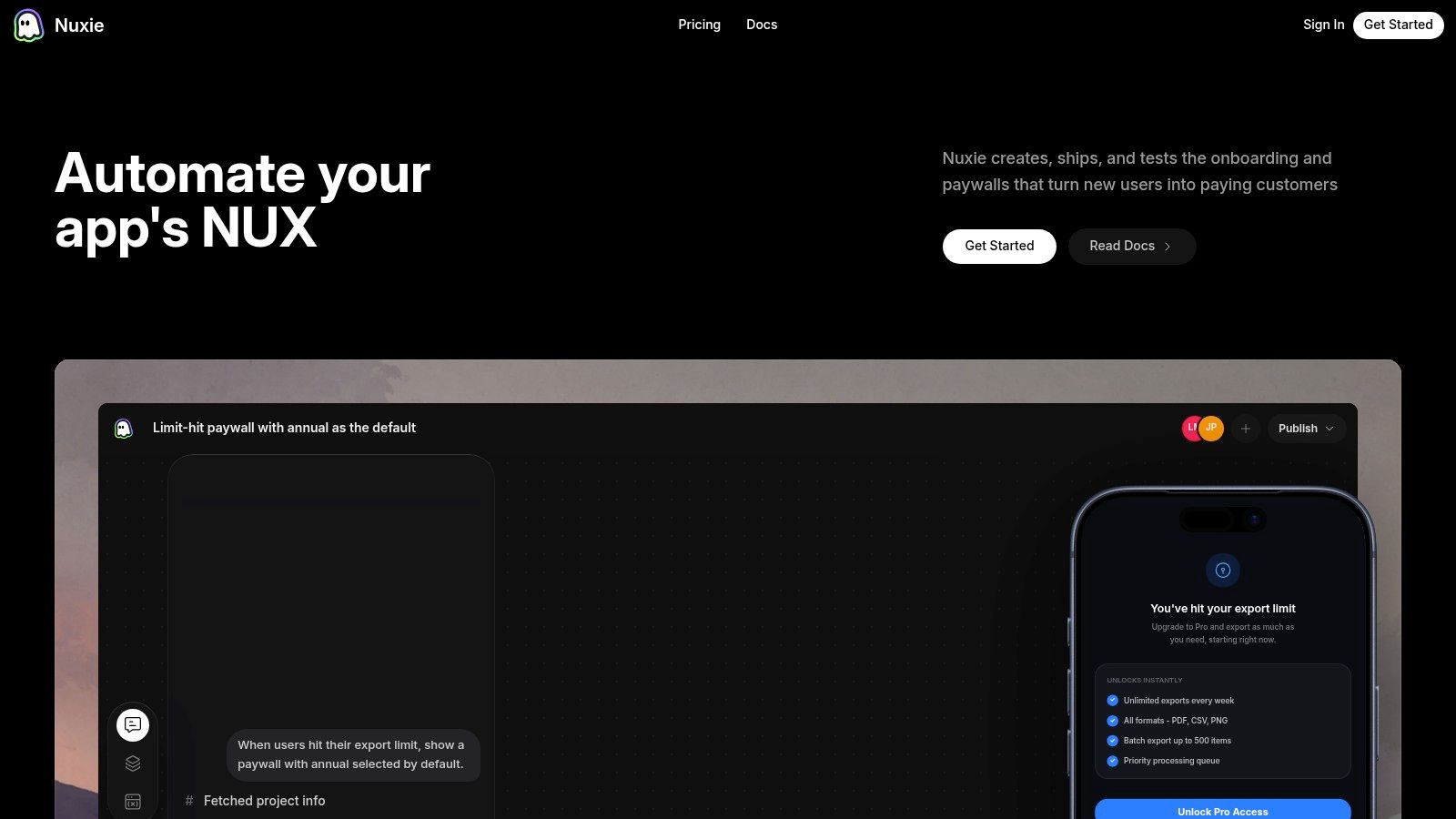
Platforms like Nuxie are particularly pertinent. Nuxie is an AI-native in-app experience, experimentation, analytics, billing, entitlement, and growth platform for mobile apps and games. It's provider-agnostic, so teams can work with existing tools instead of ripping them out. It also doesn't charge a revenue-share fee for billing and entitlement data.
That matters if your stack already includes Firebase, RevenueCat, StoreKit, Google Play Billing, or internal analytics pipelines. You don't always need a replacement. You often need an orchestration layer that can sit on top of what you already have.
For teams moving beyond simple key-value control, the value is usually in:
- visual flow editing instead of hand-assembling screens from config keys
- connected user journeys across onboarding, feature education, surveys, paywalls, and offers
- experiments tied to analytics and revenue outcomes
- offline-ready delivery with richer interactions
- one publishing workflow across mobile app and game runtimes
Remote Config is still worth keeping in your toolbox. It's great for flags, tuning, and lightweight targeting. But once your team is coordinating product, growth, monetization, and lifecycle messaging together, config alone stops being enough.
If your team has outgrown basic Remote Config workflows, Nuxie is worth a look. It gives mobile apps and games a provider-agnostic system for building and shipping in-app experiences across iOS, Android, React Native, Flutter, Unity, and Unreal, with analytics, experimentation, billing, and entitlements in the same loop. Paywalls are one important use case, but the bigger win is being able to design and publish connected journeys without turning every growth change into an engineering release.