In App Review Android: 2026 Implementation Guide
Learn to implement the in app review Android API with Kotlin/Java. Covers testing, quotas, UX strategy & advanced targeting.
Your Android app can be solid, fast, and clearly useful, yet still underperform in the Play Store. Teams hit this all the time. Users finish key actions, come back regularly, maybe even spend money, but the app's public rating doesn't reflect that goodwill because the ask for a review either never happens or happens at the wrong moment.
That's why in app review Android matters so much. It isn't just a UI convenience. It's one of the few growth levers that sits directly between product experience and store perception. When you treat it as a real system, not a one-off prompt, you get a cleaner path from user satisfaction to store feedback, and from store feedback to better conversion on the listing itself.
Why In-App Reviews Are a Growth Superpower
The old pattern was clumsy. A user tapped a rating request, your app pushed them out to the Play Store, and a chunk of intent disappeared in the transition. Google changed that with the Google Play In-App Review API, which lets apps and games prompt users to submit Play Store ratings and reviews without leaving the app. Google's own documentation positions it as the standard native path for Android review collection through Play (Google Play In-App Review API documentation).
That shift matters because review intent is fragile. If a user has just finished a workout, cleared a game level, completed onboarding, or upgraded to premium, you have a brief window where motivation is high. Extra taps, app switching, and visual context changes all work against you.
Reviews affect more than vanity metrics
A lot of teams still treat reviews as a side task for ASO. That's too narrow.
Reviews sit at the intersection of:
- Store conversion: People compare ratings before they install.
- Product feedback: Comments reveal what users value and where they get stuck.
- Growth loops: Stronger public sentiment can support organic acquisition.
- Team prioritization: Patterns in review language often surface UX friction faster than formal research cycles.
The practical value isn't just “get more stars.” It's reducing the distance between a positive experience and a public signal.
Practical rule: Ask for a review after value has been delivered, not before trust has been earned.
The real leverage is timing, not just presence
Adding the API alone won't fix anything if your trigger logic is naive. Teams often wire review prompts to the wrong moments: first launch, generic session count milestones, or arbitrary timers. Those approaches usually feel disconnected from user intent.
Better triggers are tied to specific moments of success. Examples include:
- Task completion: A user exports a file, books a class, publishes content, or finishes onboarding.
- Positive game loops: A player completes a level, wins a match, or earns an achievement.
- Subscription confidence: A user has successfully purchased, restored access, or used a premium feature.
- Retention proof: A user keeps coming back and hasn't shown recent frustration.
That's where the growth upside comes from. The native review prompt reduces friction, but your event logic determines whether the prompt feels earned.
Good review systems protect the user experience
The strongest teams don't chase review volume at any cost. They design for high-intent moments and keep the app experience intact. They also connect review requests to their wider product telemetry, because Play Console itself is already part of a broader developer workflow around app statistics and KPIs.
If you're building an Android growth stack, in app review Android isn't a side integration. It's a foundational one.
Implementing the Native Android Review Flow
The Android implementation is straightforward if you keep one thing in mind. The review prompt is Play-controlled, not app-controlled. Your app requests the flow, but Google Play owns the actual review dialog and handles the submission path.
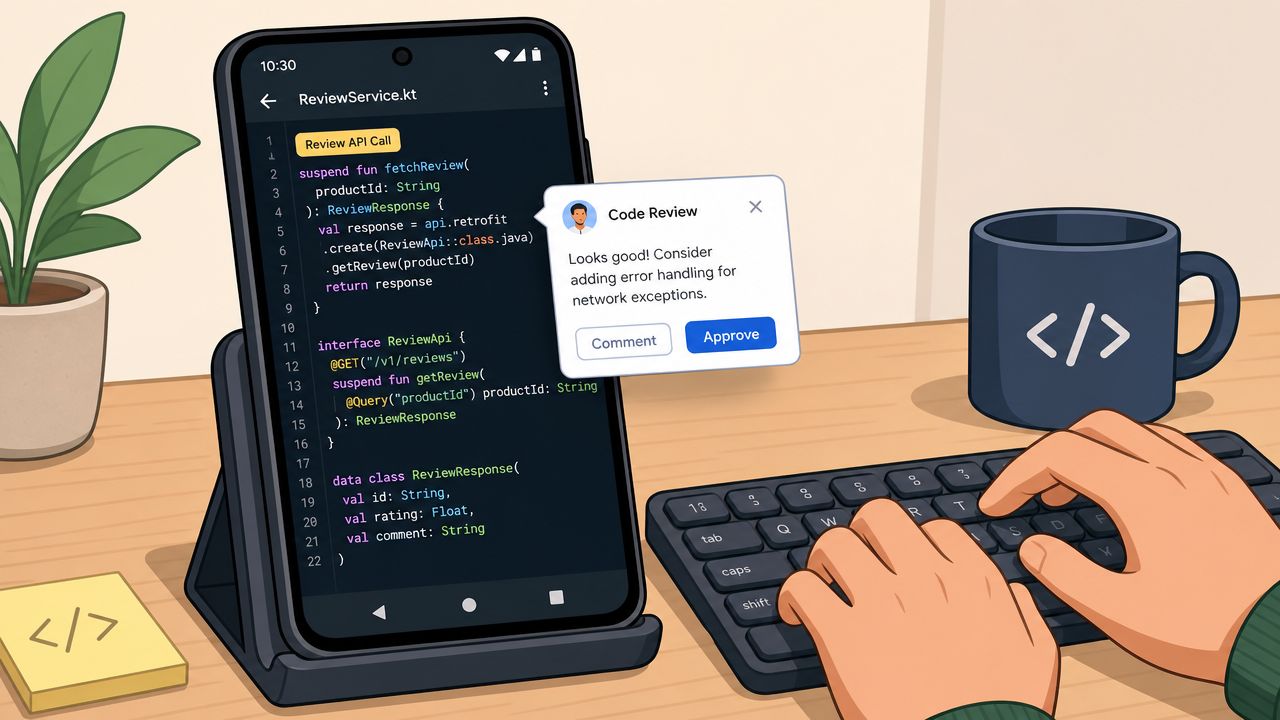
Google's implementation model uses the Play Core review flow. You create a ReviewManager, request a ReviewInfo object, and only then launch the dialog. That OS-managed architecture is important because it means your app does not collect the star rating or review text in its own UI. The flow is initiated by the app but controlled by Google Play, which is part of why it's treated as the native and policy-safe path for Android review handling (technical overview of Android in-app reviews).
The core sequence
The implementation has three parts:
- Create a
ReviewManager - Request
ReviewInfoasynchronously - Launch the review flow only if the request succeeds
If you're already wiring other Play capabilities, it helps to keep this next to your billing and release integrations. Teams managing Play-connected growth systems often centralize that logic alongside their Google Play integration setup.
Kotlin example
import android.app.Activity
import com.google.android.play.core.review.ReviewManagerFactory

fun requestInAppReview(activity: Activity) {
    val reviewManager = ReviewManagerFactory.create(activity)
    val request = reviewManager.requestReviewFlow()

    request.addOnCompleteListener { task ->
        if (task.isSuccessful) {
            val reviewInfo = task.result
            val flow = reviewManager.launchReviewFlow(activity, reviewInfo)

            flow.addOnCompleteListener {
                // Review flow finished.
                // Do not assume the user submitted a review.
                // Continue the app flow normally.
            }
        } else {
            // Request failed.
            // Log the error and continue gracefully.
        }
    }
}
This should live behind your own trigger policy, not directly behind a visible “rate us” CTA. The API call is a request, and later quota behavior can prevent the dialog from appearing even when the code is correct.
Java example
import android.app.Activity;
import com.google.android.play.core.review.ReviewInfo;
import com.google.android.play.core.review.ReviewManager;
import com.google.android.play.core.review.ReviewManagerFactory;
import com.google.android.gms.tasks.Task;

public class InAppReviewHelper {

    public static void requestInAppReview(Activity activity) {
        ReviewManager reviewManager = ReviewManagerFactory.create(activity);
        Task<ReviewInfo> request = reviewManager.requestReviewFlow();

        request.addOnCompleteListener(task -> {
            if (task.isSuccessful()) {
                ReviewInfo reviewInfo = task.getResult();
                Task<Void> flow = reviewManager.launchReviewFlow(activity, reviewInfo);

                flow.addOnCompleteListener(flowTask -> {
                    // Review flow finished.
                    // Continue normally without assuming a review was left.
                });
            } else {
                // Request failed.
                // Handle gracefully and continue app flow.
            }
        });
    }
}
What teams often get wrong
The biggest mistake is treating the prompt like a guaranteed modal. It isn't.
A few implementation habits make the integration more reliable:
- Decouple trigger logic from UI events: Don't bury review requests directly inside an Activity button callback unless that button is internal and not user-promised.
- Keep post-flow behavior neutral: The flow finishing does not mean the user submitted anything. Always resume the app normally.
- Centralize eligibility rules: Session count, recent support contact, purchase status, and churn risk shouldn't be hardcoded in scattered screens.
- Avoid custom rating mimicry: Don't build your own fake Play-style star prompt and then hand off to the API.
Later, when you test on device, you'll also need to respect Google's environment requirements. For now, the key engineering principle is simple: request first, launch second, and never assume display or submission.
A quick visual walkthrough can help if you're handing this to another engineer or QA partner:
Where this fits in larger app architectures
For native Android apps, this usually lives in a small review service. For cross-platform teams, the same principle still applies even if the call originates from React Native, Flutter, Unity, or Unreal. Keep the native review invocation thin, and keep the decisioning layer outside it.
If your review system depends on one screen knowing everything about user quality, it'll become brittle fast.
Testing and Debugging Your Review Prompt
Review code that can't be tested usually ends up overfit to happy paths. Android's native review flow is a classic example because Google controls the UI and may suppress it under real conditions. That means you need two testing modes, not one.
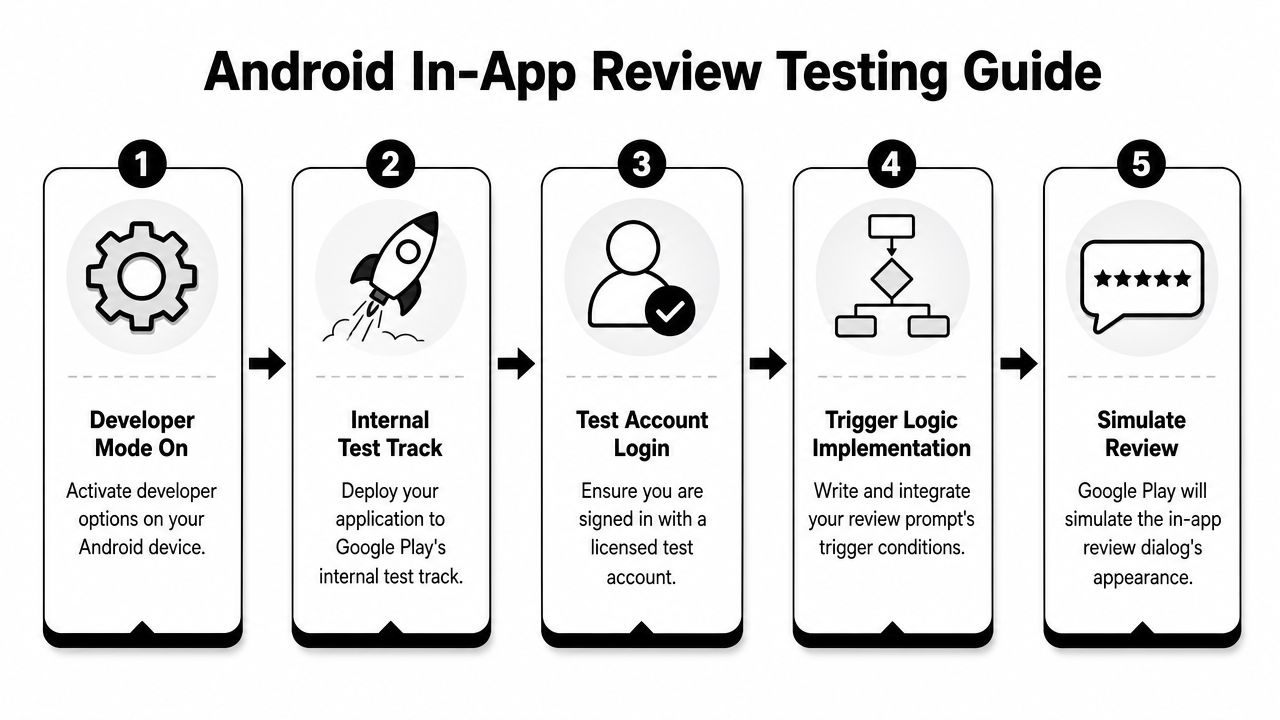
Google's testing guidance is explicit about the sequence and the environment. Create a ReviewManager, request a ReviewInfo, launch only after that request succeeds, use FakeReviewManager for local validation, and use an internal test track or internal app sharing for realistic device testing. Google also notes conditions such as the tester account being the primary Play Store account, the app appearing in the user's Play library, and the user having no existing review for the app (Google Play in-app review testing guidance).
Local testing with FakeReviewManager
Use FakeReviewManager when you want to validate your app logic, not the Play Store UI.
That means testing things like:
- Eligibility rules: Did your app decide to request a review after the right event?
- Async handling: Does the app wait for
ReviewInfobefore launching? - Failure paths: Does the app continue cleanly if the request fails?
- State transitions: Are analytics events and local cooldowns updated correctly?
This mode is fast and deterministic. It's the right place for unit and integration tests in CI.
Real device testing through Play
If you need to see the actual review card, local mocks won't help. You need a real Play-distributed build.
A reliable device test checklist looks like this:
- Ship the build correctly: Use internal test track or internal app sharing.
- Use the right Google account: The tester should be signed into the Play Store with the primary eligible account.
- Confirm library presence: The app should appear in that account's Play library.
- Check review history: The user should not already have a review for the app.
- Trigger naturally: Hit your in-app condition and observe whether Play renders the prompt.
Debugging symptoms that confuse teams
The tricky part is that a “successful” code path doesn't always produce visible UI. That doesn't mean your implementation is broken.
A few common interpretations help:
| Symptom | Likely meaning | What to do |
|---|---|---|
requestReviewFlow() succeeds but no dialog appears |
Environment or quota conditions may block display | Verify test setup, then test with another eligible account |
| Dialog appears in some builds but not others | Distribution path may differ | Confirm the app came from internal test track or internal app sharing |
| Logic works locally but not on device | Fake manager only validates app logic | Move to Play-based E2E validation |
| QA says “nothing happened” | App likely resumed normally after launch attempt | Add internal logging around request, launch, and completion |
Treat review testing like billing testing. Local mocks prove your code path. Store-distributed builds prove the real environment.
Handling Quotas and Creating Fallback Strategies
The most important product fact about the native review API is also the most frustrating one. launchReviewFlow() is not a guaranteed display command. It's a request into a system Google controls.
That has a direct UX consequence. If you put a visible “Rate our app” button in settings and wire it straight to the native API call, some users will tap it and see nothing. From their perspective, your app ignored them.
Why quota changes your design
Google keeps the quota behavior opaque and time-bound. That's reasonable from an anti-spam perspective, but it means your app has to behave well even when the prompt does not appear.
Design for three layers instead of one:
- Eligibility layer: Decide when a user is worth asking.
- Invocation layer: Attempt the native review flow.
- Fallback layer: Give motivated users another path if the native prompt isn't shown.
This is why review systems should be treated like decision engines, not button handlers.
A better fallback model
A strong fallback doesn't mean bypassing Play policies or recreating the rating UI yourself. It means offering a separate, intentional route when a user clearly wants to leave feedback and the native prompt isn't available.
Practical patterns include:
- Settings entry for store listing: If a user proactively taps “Write a review,” send them to the Play Store listing instead of depending on quota-sensitive native display.
- In-app feedback before review moments: For users who aren't ideal review candidates, route them into a feedback or survey flow first. Teams often pair review logic with broader listening systems such as in-app survey SDK workflows.
- Cooldown memory: If a request was attempted recently, don't keep trying every session.
- Context preservation: If the user returns from the store listing, continue the app journey without dead ends.
What works and what doesn't
Here's the practical split:
| Works | Usually fails |
|---|---|
| Prompting after a positive milestone | Prompting from first launch |
| Keeping a store-listing fallback for explicit intent | Tying a visible CTA directly to launchReviewFlow() |
| Logging request attempts and completions | Assuming a completed flow means a submitted review |
| Separating review asks from support paths | Asking unhappy users to leave public reviews |
A review prompt should feel like a privilege granted to satisfied users, not a tax placed on everyone else.
Advanced Targeting with a Growth Platform
Most Android implementations stop at trigger logic inside the app. Something like, “after level complete, ask for review.” That's fine for a first pass, but it breaks down once you care about quality, experimentation, and cross-platform consistency.
The native API can show the prompt. It cannot answer the harder questions:
- Which users should be eligible?
- Which event should count as a success moment?
- How long should cooldowns be?
- Which cohorts should be excluded because they recently hit support, canceled, refunded, or churned?
- How should Android and iOS review programs stay aligned?
Hardcoded logic doesn't age well
When review targeting lives in app code, every adjustment competes with release cycles. Product wants to test prompting after onboarding completion instead of purchase success. Growth wants to exclude users who recently saw a paywall error. Support wants to suppress review asks for users who opened the help center. Engineering now owns a pile of conditional logic that keeps changing.
That's why mature teams separate review delivery from review decisioning.
What a modern setup looks like
A growth platform can sit above the native APIs and control when they're invoked. In practice, that means you define segments and journeys using behavioral, billing, and engagement signals, then call the platform-native review API only for the right cohort.
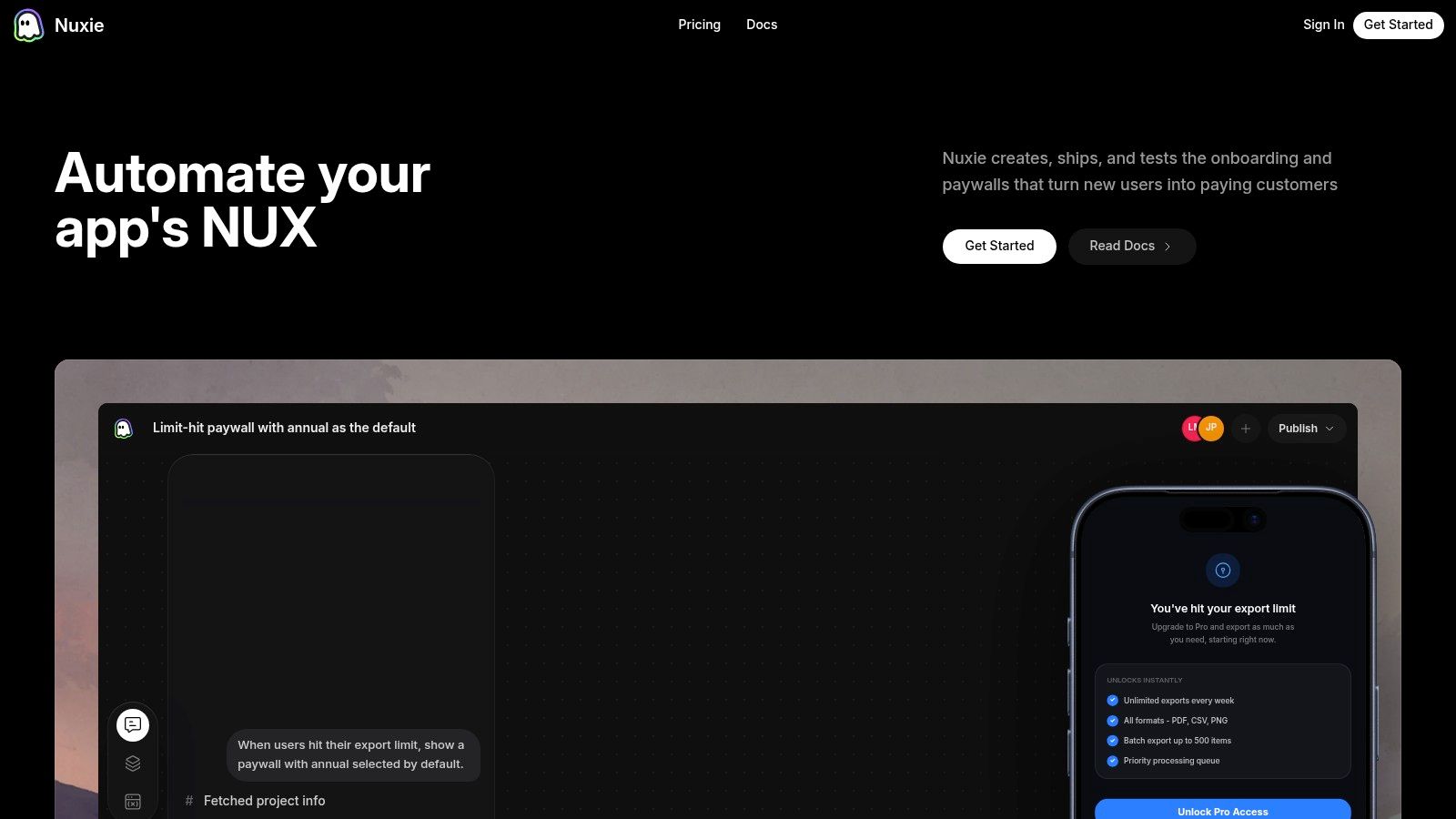
One example is Nuxie, which is provider-agnostic and supports in-app experiences, analytics, experimentation, billing, and entitlement workflows across iOS, Android, React Native, Flutter, Unity, and Unreal. Teams can use it alongside existing tools instead of replacing everything at once, and its billing and entitlement layer doesn't rely on a revenue-share fee. If you're designing remote review journeys alongside onboarding, announcements, offers, or paywalls, its in-app flow builder is one way to manage that logic outside app releases.
Better targeting patterns
Instead of one hardcoded event, think in combinations:
- Engaged and stable: User has returned multiple times, has not opened support recently, and completed a meaningful task.
- High-value conversion: User purchased successfully, entitlement synced, and they used the premium feature at least once.
- Game momentum: Player finished a level streak, didn't lose in the last session, and is not currently in a reward-sensitive loop.
- Publisher confidence: Reader completed onboarding, enabled notifications, and consumed content repeatedly without bounce behavior.
These rules matter across stacks. A Flutter app, a Unity game, and a native Android productivity tool all need native review APIs underneath. But they also need a consistent decision layer above.
Why this matters operationally
The primary gain isn't just better targeting. It's faster iteration.
With a platform layer, teams can:
- Adjust eligibility without a release
- Run experiments on trigger moments
- Exclude frustrated cohorts quickly
- Compare Android and iOS review strategies side by side
- Coordinate review asks with paywalls, retention offers, or liveops moments
That's the difference between “we integrated the review API” and “we built a review program.”
Best Practices for UX Timing and Measurement
The easiest way to make in app review Android underperform is to ask too early. The second easiest is to ask everyone. Good timing fixes the first problem. Good measurement fixes the second.
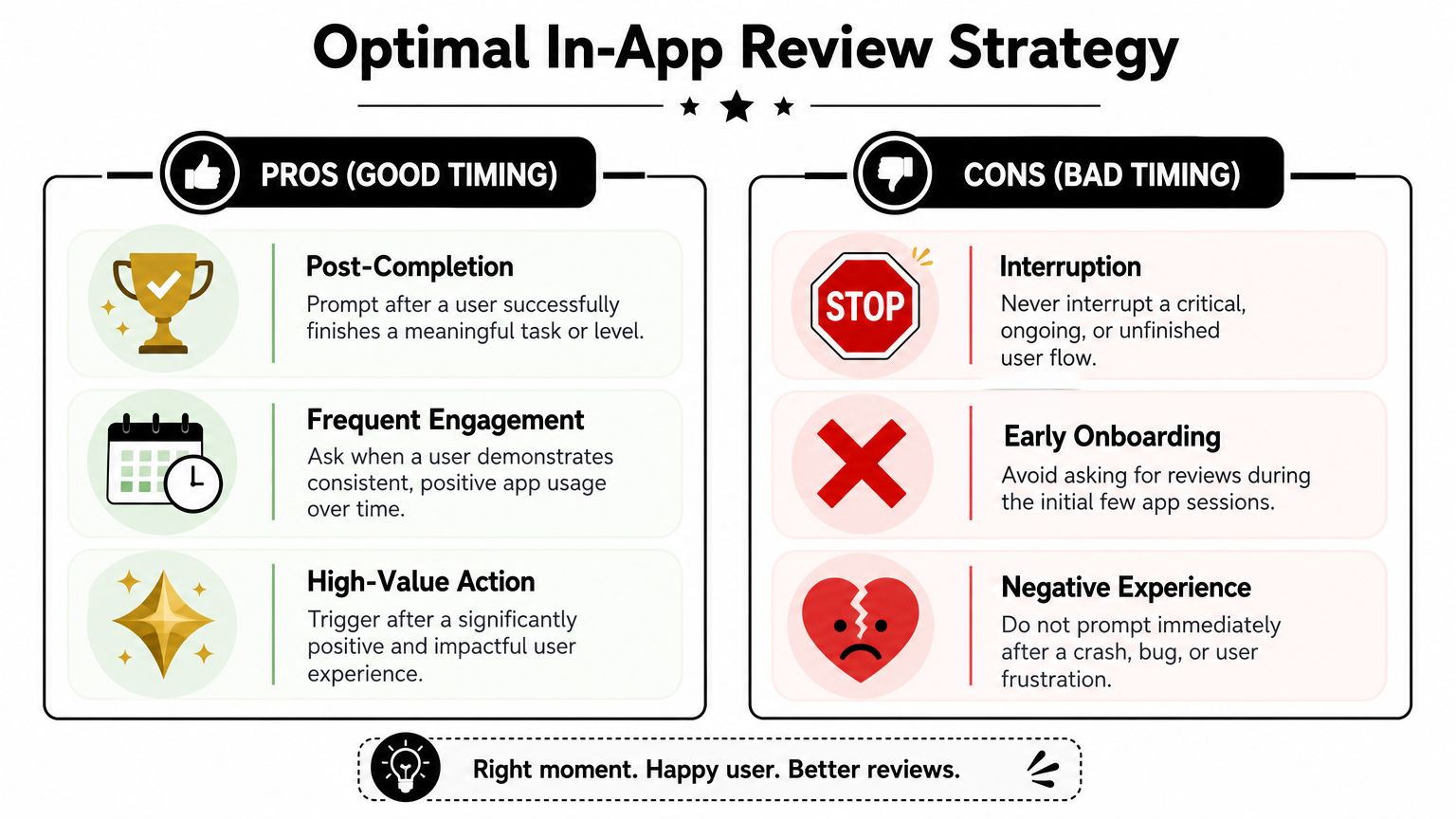
Ask after earned value
The strongest review moments feel like a natural extension of success.
Good candidates include:
- Completion moments: Finishing a booking, export, lesson, streak, or game level.
- Confidence moments: Using a paid feature successfully after purchase.
- Habit moments: Returning users who keep engaging without signs of friction.
Bad candidates are just as important:
- Interrupted flows: Mid-checkout, mid-match, or mid-form.
- Early lifecycle moments: First open, first session, or before the user understands the product.
- Frustration windows: After a crash, failed payment, support interaction, or bug report.
Ask when the user would independently say, “that worked well.” Don't ask when you hope they'll be polite.
Measure signal quality, not just prompt volume
More review prompts do not automatically produce better feedback. Academic analysis of 8,600 Android reviews across 10 popular apps found that 20% of ratings were inconsistent with the review text (analysis of Android review inconsistency). That's a useful warning for growth teams. If your targeting is sloppy, you can collect more noise instead of more insight.
This changes how mature teams think about measurement.
Track questions like:
- Did the prompt fire after genuinely positive moments?
- Which cohorts generated useful written feedback, not just ratings?
- Did support-heavy users contaminate review quality?
- Are low-intent prompts adding noise to store sentiment?
A practical measurement model
Use a simple review measurement framework inside your analytics stack:
| Layer | What to track |
|---|---|
| Eligibility | Which users qualified and why |
| Attempt | When the native flow was requested |
| Context | Which event or journey triggered it |
| Suppression | Which users were excluded and for what reason |
| Follow-up analysis | Review themes, complaint categories, and mismatch patterns |
That last row matters most. If review text often points to onboarding confusion, billing misunderstandings, or game balance issues, your review system is doing more than supporting ASO. It's feeding the product roadmap.
Field note: The best review programs don't chase every possible rating. They filter for moments where satisfaction and clarity are most likely to line up.
If your team wants review prompts to behave like part of a real growth system, not a disconnected API call, Nuxie is worth a look. It gives mobile app and game teams a way to design, target, test, and ship in-app journeys across Android, iOS, React Native, Flutter, Unity, and Unreal, while also connecting analytics, experiments, billing, and entitlements in one workflow.